

Intuitibits’ WiFi Explorer Pro 3 is a high-end Wi-Fi scanning and analysis tool designed for macOS. By offering real-time monitoring and comprehensive graphical visualization of the Wi-Fi environment, it enables WLAN and IT professionals to create, validate, and troubleshoot wireless networks.
WiFi Explorer is the ideal tool for learning about your network and how to make any necessary repairs. The app offers a wealth of detailed information on all local networks, such as their security status, signal quality, range, and more. The ability to diagnose your connections at home or at work without the need for expert knowledge is one of a network analyzer’s key benefits.
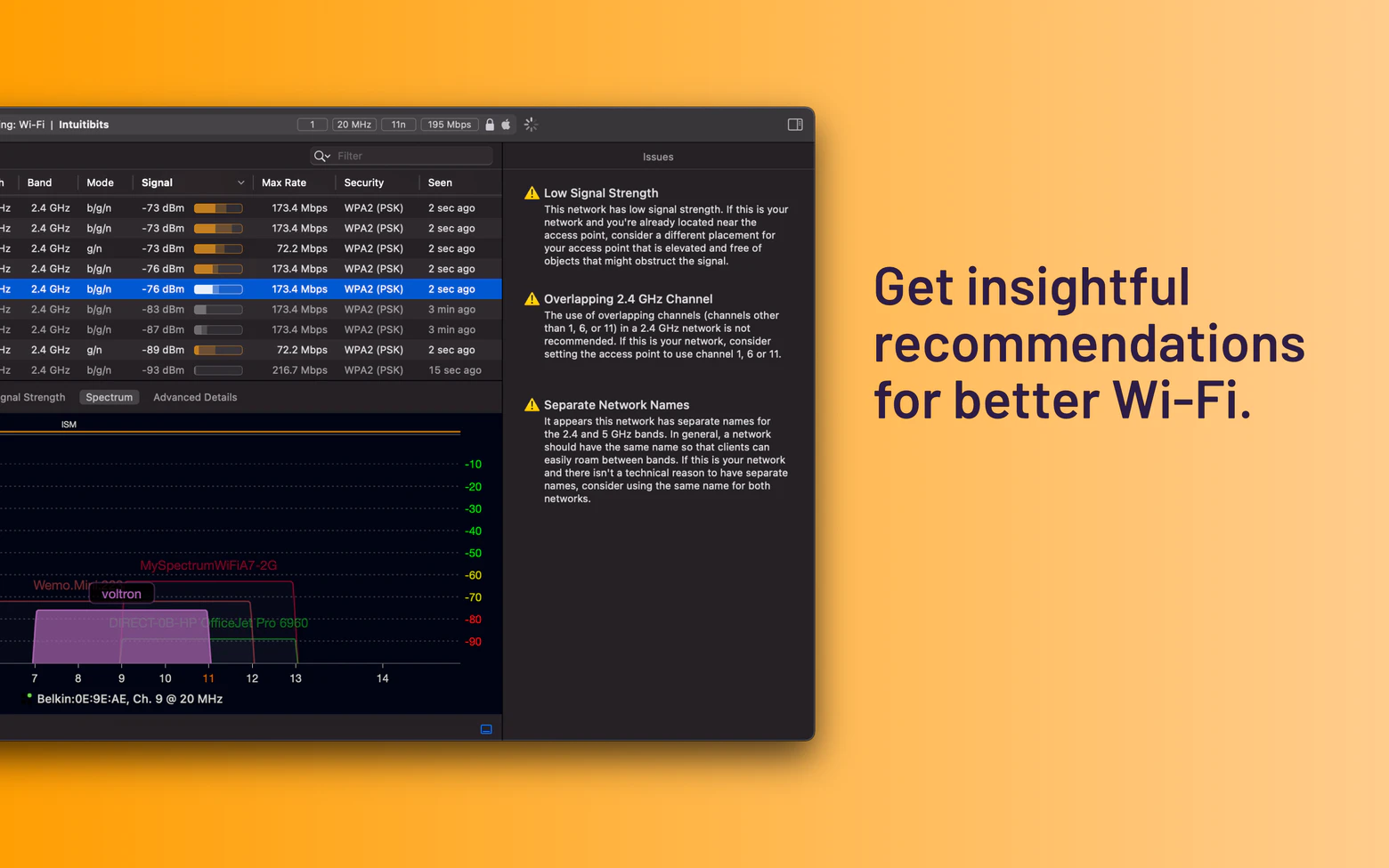
Additionally, a comprehensive handbook is available to assist anyone with rudimentary computer skills in comprehending and resolving typical network problems. For instance, WiFi Explorer indicates which networks can be at odds with one another because of channel overlap.
WiFi scanner
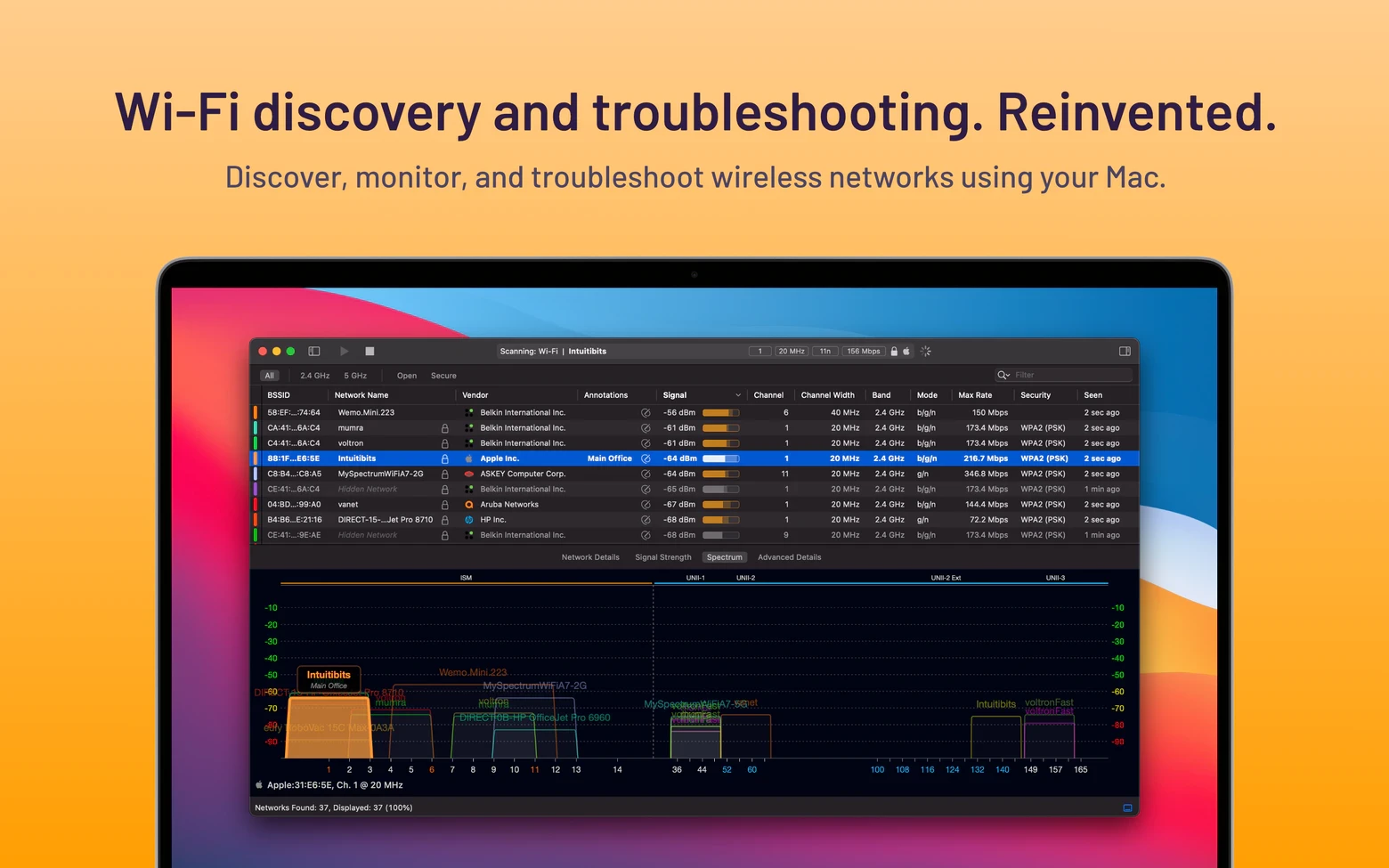
WiFi Explorer examines your network environment and presents the results in an easy-to-use interface. The scanner is a set of robust WiFi tools that can identify even weak or distant networks and help you repair malfunctioning ones.
Graphical representations
A visual graph is used to display each network and its specifics. This makes it possible to quickly assess the issue without having to study the numbers. To determine which networks are working better and have a stronger signal, you just need to look at the color of the lines.
Diagnostics
Several diagnostic tools are available in WiFi Explorer. It enables you to diagnose network problems on your own without expert assistance. To determine what’s wrong and how to fix it, simply open the application; you don’t need to be a system administrator.
Support for several bands
Networks running in the 2.4 GHz or 5 GHz frequency ranges can use the app. This implies that the WiFi monitor in the app will operate with any kind of device and network band. Additionally, channels in the 20, 40, 80, and 160 MHz ranges are supported.
Adaptable view
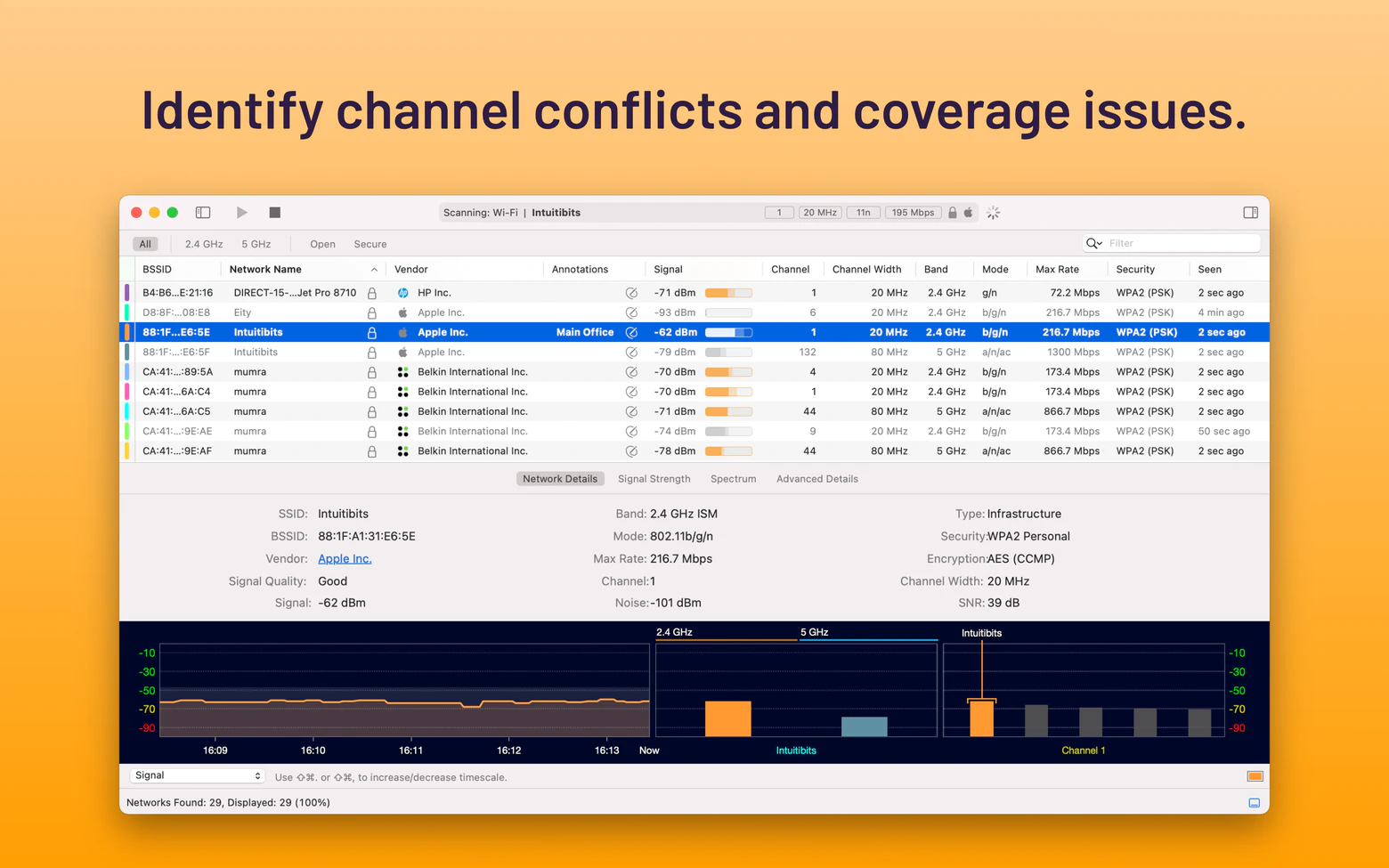
When you launch Explorer, you may quickly select what you wish to see. For instance, you can select the colors of particular networks, making it simple to keep track of the ones you require and disregard the ones that don’t matter. Additionally, columns can be sorted and altered to meet your needs.
Ratio of signal to noise
The signal-to-noise ratio is one of the criteria used in the app to judge signal quality. This is due to the possibility that a wireless analyzer may not have enough signal strength to make inferences. As a result, the evaluation also takes the signal-to-noise ratio into account.
Important Features
- Standard & Multi-Band Support:
It is compatible with 802.11a/b/g/n/ac/ax/be (Wi-Fi 4, 5, 6, 6E, and Wi-Fi 7) protocols and fully supports the 2.4 GHz, 5 GHz, and 6 GHz bands.
- Comprehensive Analysis:
delivers comprehensive network capabilities, per-channel data, and access point hardware vendors after decoding more than 850 information pieces.
- Tools for Visualization:
includes graphical representations of your Wi-Fi environment, such as channel use charts and spectrum graphs, to assist in identifying interference and congestion.
- Several Scan Modes:
provides directed, passive, and active scanning options for adaptable data gathering.
- IoT Interoperability:
allows you to see Zigbee/Wi-Fi coexistence by integrating with appropriate USB adapters to scan adjacent Zigbee networks.
- Reporting and Exporting:
enables you to export data for in-depth analysis using programs like Wireshark and save scan results in PcapNG or PCAP formats.





Leave a Comment