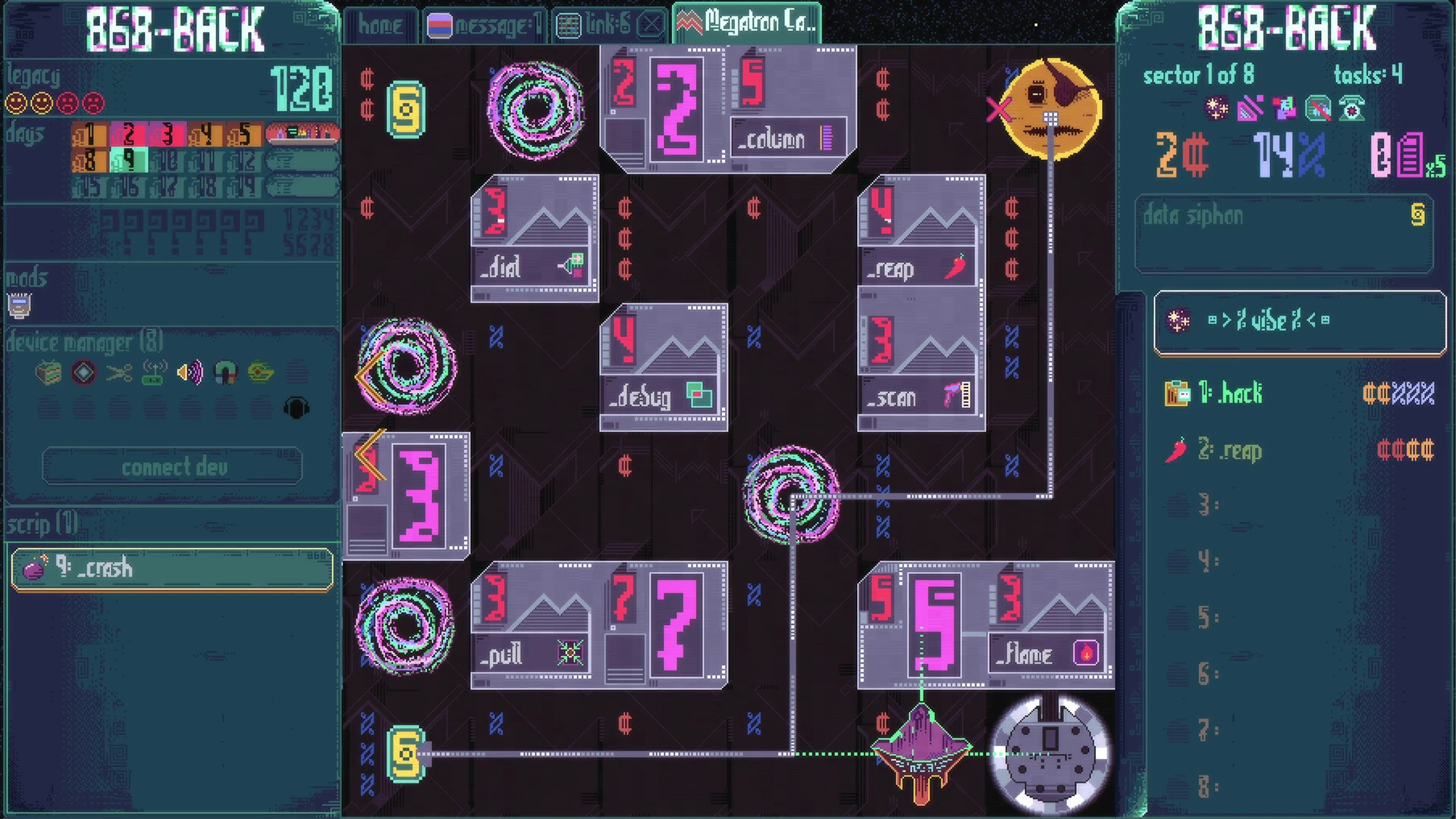
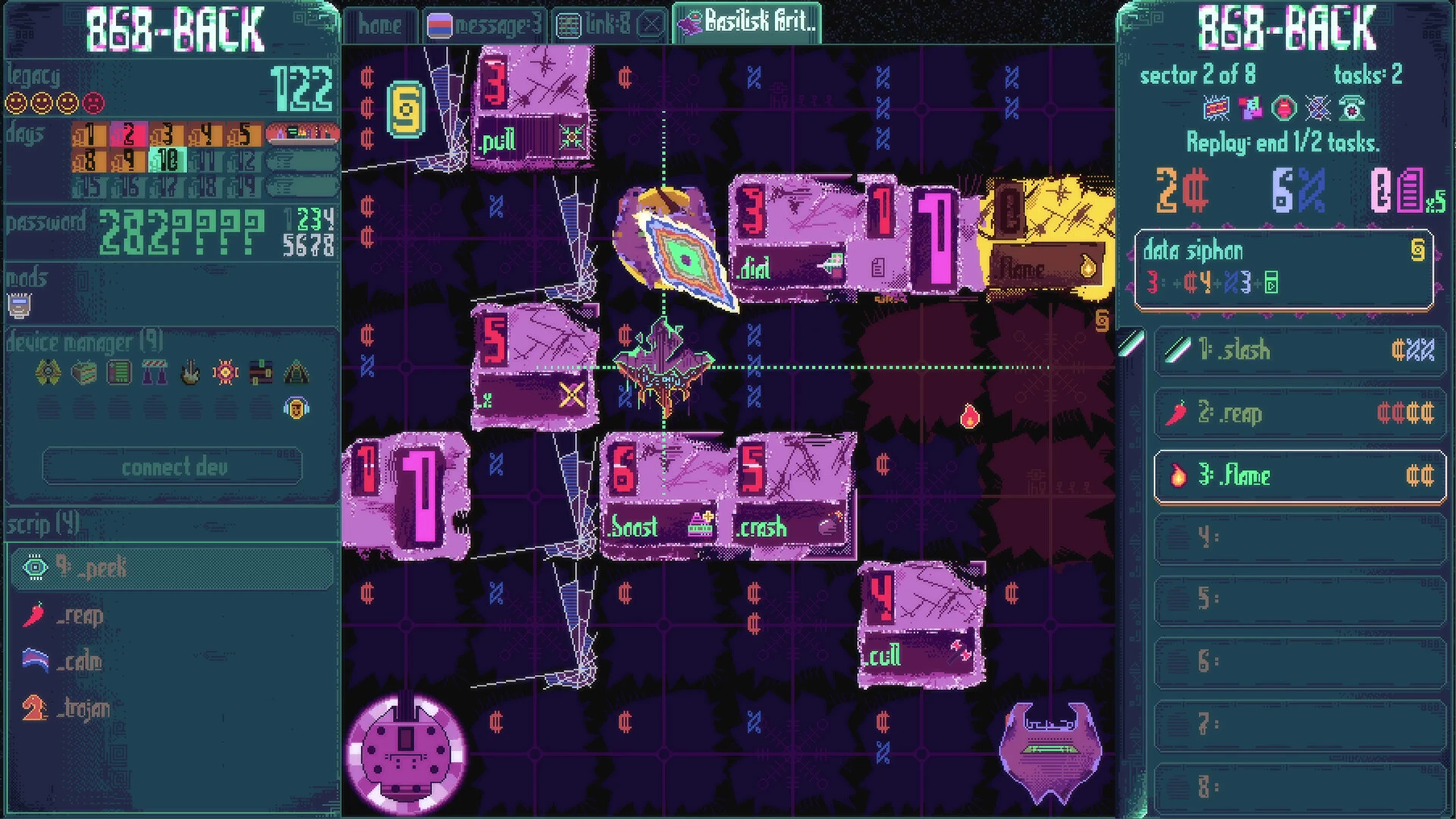
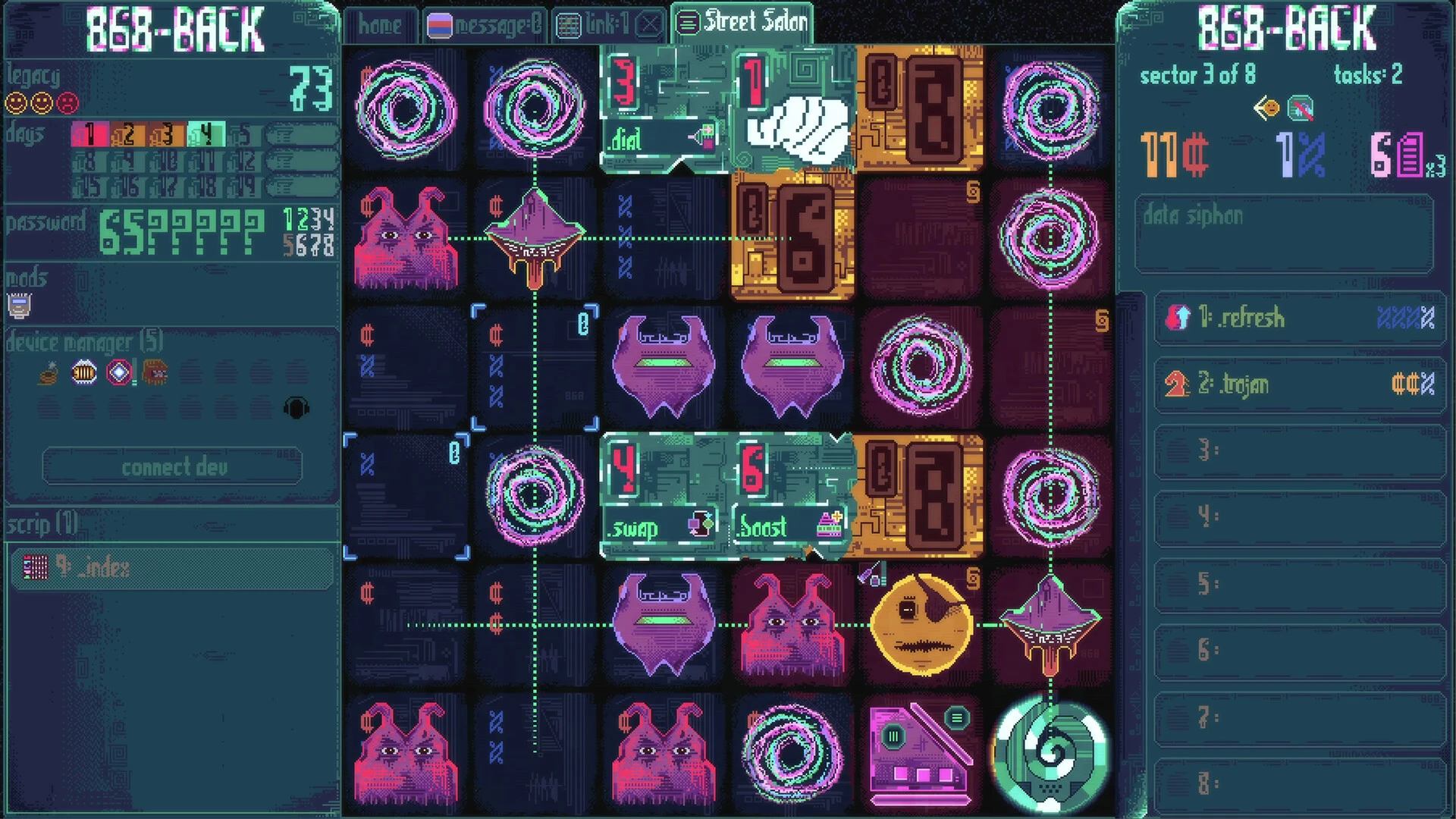
868-BACK is a tactical roguelike computer hacking game in which you must destroy capitalism one server at a time! Use your hacking abilities to defeat enemies, steal data from servers, and navigate progressively tough circumstances before being taken down (again!) by the world’s wealthiest corporations.

The mainframe has been lost, and you may be the only one left to combat the megacorporations. You are in luck! You aim to destroy capitalism by destroying computer servers one at a time.

Data is currency, money, and a mule. Megacorporations know too much about me, you, and everyone else. You will have to give it back. After all, software is not inexpensive!

Programs are forces, and megacorporations rule them all. You will steal and use their code against them. Expect repercussions.

You didn’t expect the megacorporations to let you get to the mainframe without a battle, did you? The stakes are great in cyberspace. If you get disconnected too many times, your mission will restart.

The Big Three’s defenses are formidable, hacker, but you can be stronger. Master new strategies with each run, employ megacorporation programs to transform the globe, and locate the master computer!

Basic Overview of What to Expect:

Core Gameplay:

  • You navigate servers on a small 6×6 board. Every piece of data you steal serves as currency, allowing you to purchase “progs”—illicit software tools and powers.

The Twist:

  • As you steal more data, business defenses strengthen. You will fight swarming adversaries, and your heists will result in increasingly difficult modifications that change the rules of the grid itself.

The Strategy:

  • The game is about taking calculated risks, creating strong combos with stolen programs, and influencing foes through choke points.

Difficulty:

  • It is well-known for being both brutally challenging and intensely gratifying. One mistake means you have to start over, which forces you to think carefully about every move.

Details

Version 232
Developer Michael Brough
Activation (RG) ARM , x86 (64-bit)
Tested on macOS Tahoe , Mac mini 2024 M4
Size 452 MB
Architecture DRM-FREE (no protection)
Interface Language English
Voice Languages Musical accompaniment

FAQ

Mount the downloaded image and follow the standard installation procedure. The installation is completed by choosing a location to place the game. It is recommended to specify the Applications folder.
There are so many errors, we can't list them all here. Therefore, we've described all the solutions (with pictures) in the article: Errors when installing applications on a Mac
Official updates may result in loss of activation unless otherwise stated in the installation instructions. To update the software from this website, you must download the new version of the software from here (if available) and install it over the version currently installed on your computer. This will preserve your activation and settings for the software. Read more in the article: Updating pirated apps
To download large files, it is recommended to use any download manager, for example, FDM (Free Download Manager) For downloading from a file sharing service like Filen.io, it's not recommended to use Safari. Use Google Chrome or the aforementioned FDM browser, for example. To download files via torrent (.torrent file), you need a torrent client, such as Transmission or the aforementioned FDM. Please remember that providers may block access to some websites (1fichier.com, etc.). To bypass these blocks, it is recommended to use a VPN.
The site administration doesn't hack anything. That's the job of release teams and some enthusiasts. They're the ones responsible for ensuring updates are available. But you can hack software yourself by learning reverse engineering.
Definitely not in the comments. The site administration doesn't hack anything, and there's no order desk. However, you can order the software you need (not for free) in a special thread on forum.ru-board.com.
Open System Preferences -> General > Language & Region -> Applications - “+”. Select an app and language. This method works for most apps. The language in Adobe products is usually selected during the installation of the product itself. The language in games is usually changed in the game settings itself. There are exceptions. Don't hesitate to search for information online.
There are many options. The easiest is to use specialized app removal tools, such as App Cleaner & Uninstaller. To remove Adobe products, use the Creative Cloud Cleaner Tool .
The site offers a paid service: remote assistance (via AnyDesk, Zoom, Skype) with the installation of any applications (not just those from this site) on any Mac or PC. Learn more...

Leave a Comment

Version 232
Developer Michael Brough
Interface language English
Activation (RG) ARM , x86 (64-bit)
Tested macOS Tahoe , Mac mini 2024 M4
Architecture DRM-FREE (no protection)
Voice Languages Musical accompaniment
Size 452 MB
No threats found. Read more…
Published (edited): June 18, 2026 Views: 1