OS X Yosemite icon

OS X Yosemite

OS Versions

The new Mac desktop operating system, which was first introduced at WWDC 2014, is a significant upgrade to OS X. Yosemite offers customers even more iOS-inspired features and a sleeker look, continuing the trend started with last year’s OS X Mavericks.

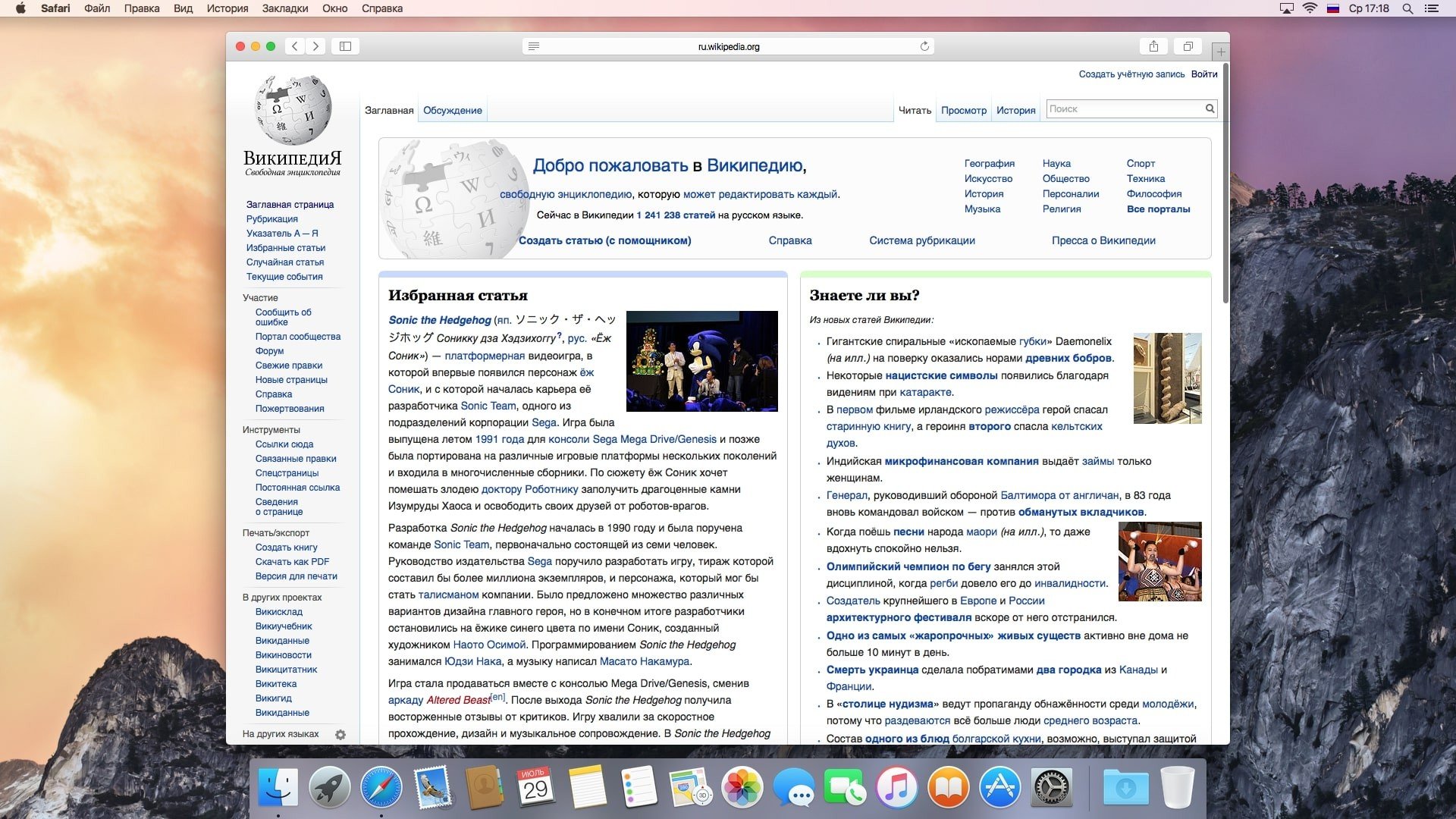
OS X 10.10 more contemporary appearance thanks to its flat design, translucent panels, and departure from gradients and textures in iOS 7. The app drawer and windows have sharper edges, and the app icons have a new, flatter, simpler style.

According to Apple, third-party widgets that may be downloaded from the App Store will enhance these features. Now prominently displayed on the desktop, the all-purpose Spotlight search tool has emerged as a crucial OS feature.

Features Included:

  • Like any other file type, users may view, tag, and search their cloud-stored files using Spotlight.
  • Every iCloud Drive file will sync with Windows, iOS, and OS X.
  • With a cleaner, more user-friendly look and better search integration, the Safari browser has undergone a major makeover.
  • According to Apple, the browser can process JavaScript code up to six times faster than Firefox and up to five times faster than Chrome on most webpages.

Additionally, Apple has increased Safari’s compatibility with web standards like HTML5, WebGL, and SPDY.

Important Elements

  •  iOS-Inspired Design:

With translucent menu bars, a 2D dock, and new program icons, Yosemite debuted a flatter, more contemporary user interface.

  • Handoff and Continuity:

It made it possible for Macs and iOS devices to function flawlessly. On their iPhone or iPad, users might begin an email or document and continue precisely where they left off on their Mac.

  • Calls and SMS:

Macs may use a nearby iPhone to route SMS messages and make and receive cell phone calls.

  • Center for Interactive Notification:

Similar to the Today view on the iPhone, a specific “Today” screen has been added for customisable widgets.

  • Enhancements for Spotlight:

The option to retrieve site recommendations, Wikipedia entries, map results, and file previews was added to Spotlight search, which was repositioned to the center of the screen.


Details

Version 10.10.5 (14F27)
Developer Apple
Activation (RG) DRM-FREE (no protection)
Size 5.3 GB
Architecture x86 (64-bit)
Interface Language English , German , Arabic , Catalan , Chinese ( traditional ) , Chinese ( simplified ) , Hungarian , Dutch , Finnish , French , Greek , Hebrew , Italian , Japanese , Korean , Malay , Norwegian , Polish , Portuguese , Romanian , Russian , Slovak , Swedish , Thai , Turkish , Ukrainian , Vietnamese

FAQ

Everyone knows that Apple signs the firmware for its mobile operating system for iPhone and iPad. But few people know that it also signs the macOS desktop operating system, and if you try to install a version that is no longer signed, you'll receive a message similar to this: "This copy of the program could not be verified. It may have been corrupted or modified during the download process." In this case, you have two solutions: - download the latest image of the desired system from the Mac App Store and recreate the bootable USB flash drive - change the date of your Mac to one that preceded the release of the build with macOS (OS X). If the first method requires more time and effort, the second can be done directly in installer mode, without restarting your Mac. All you need to do is launch Terminal and use it to change the date. Change the date to a few days before the update's release for it to take effect. You can view macOS release dates on Wikipedia.https://ru.wikipedia.org/wiki/MacOS . Also, remember to disconnect your Mac from the internet so it doesn't reset the date by contacting Apple's servers. To change the date via Terminal, you need to add the desired date to the date command in the format: mmddHHMMyy. For OS X Yosemite, this will be the following command: date 0810000015

Leave a Comment

Version 10.10.5 (14F27)
Developer Apple
Interface language English , German , Arabic , Catalan , Chinese ( traditional ) , Chinese ( simplified ) , Hungarian , Dutch , Finnish , French , Greek , Hebrew , Italian , Japanese , Korean , Malay , Norwegian , Polish , Portuguese , Romanian , Russian , Slovak , Swedish , Thai , Turkish , Ukrainian , Vietnamese
Activation (RG) DRM-FREE (no protection)
Architecture x86 (64-bit)
Size 5.3 GB
No threats found. Read more…
Published (edited): June 10, 2026 Views: 2