


Owners of compatible devices will be taken aback by macOS 10.14 Mojave, the most recent version of Apple’s proprietary operating system, which is widely regarded as the best software platform for desktops and laptops. It focuses on automating several daily tasks and offers an increased variety of features.
A significant update to Apple’s desktop operating system is macOS Mojave (Version 10.14). It is noteworthy historically because it brought native iOS apps like News, Stocks, and Voice Memos to the desktop, introduced Dark Mode to the Mac, and was the last version to support 32-bit software.
If you’re searching for a summary of its salient characteristics, this section discusses what sets Mojave apart:
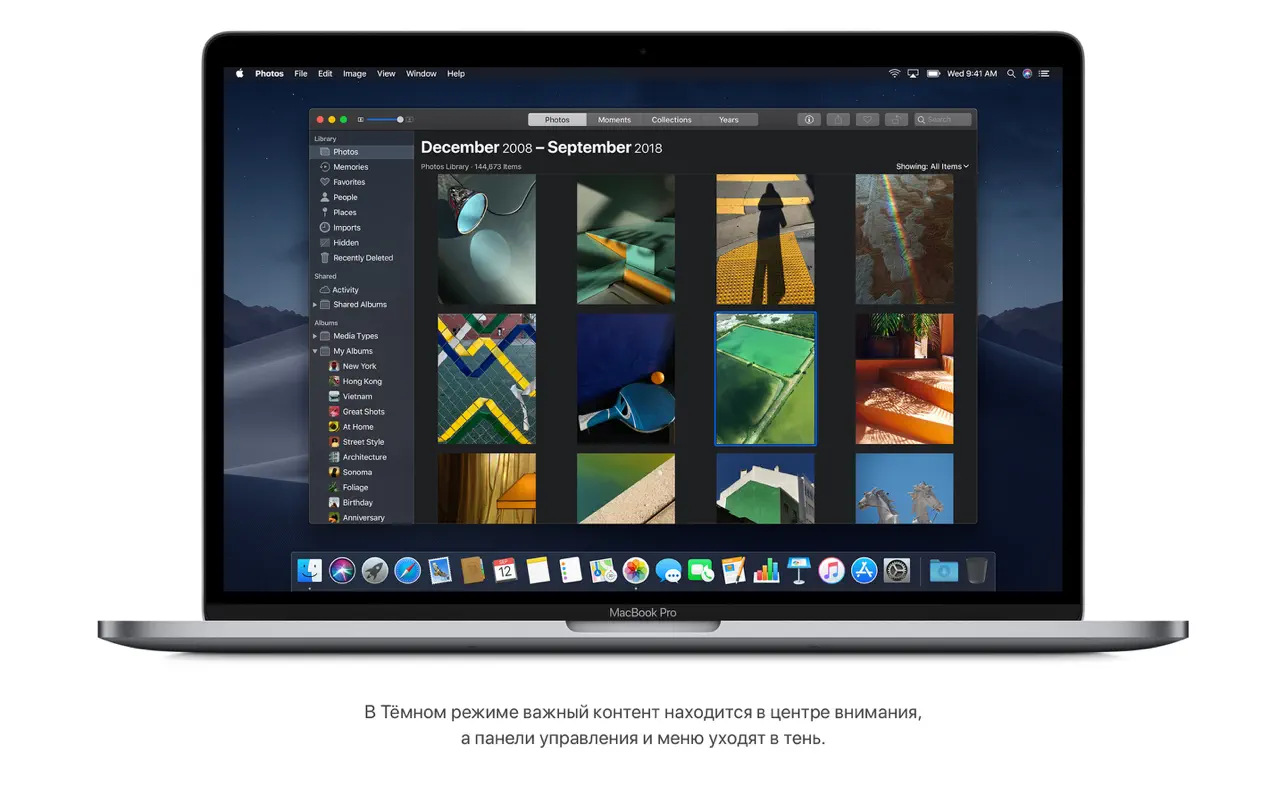
- System-Wide Dark Mode:
For improved focus and easier vision at night, the entire interface (Dock, menu bar, and native programs) is changed to a dark theme.
- Desktop Stacks:
Organizes files into tidy stacks according to sort, date, or tags to automatically tidy up a cluttered desktop.
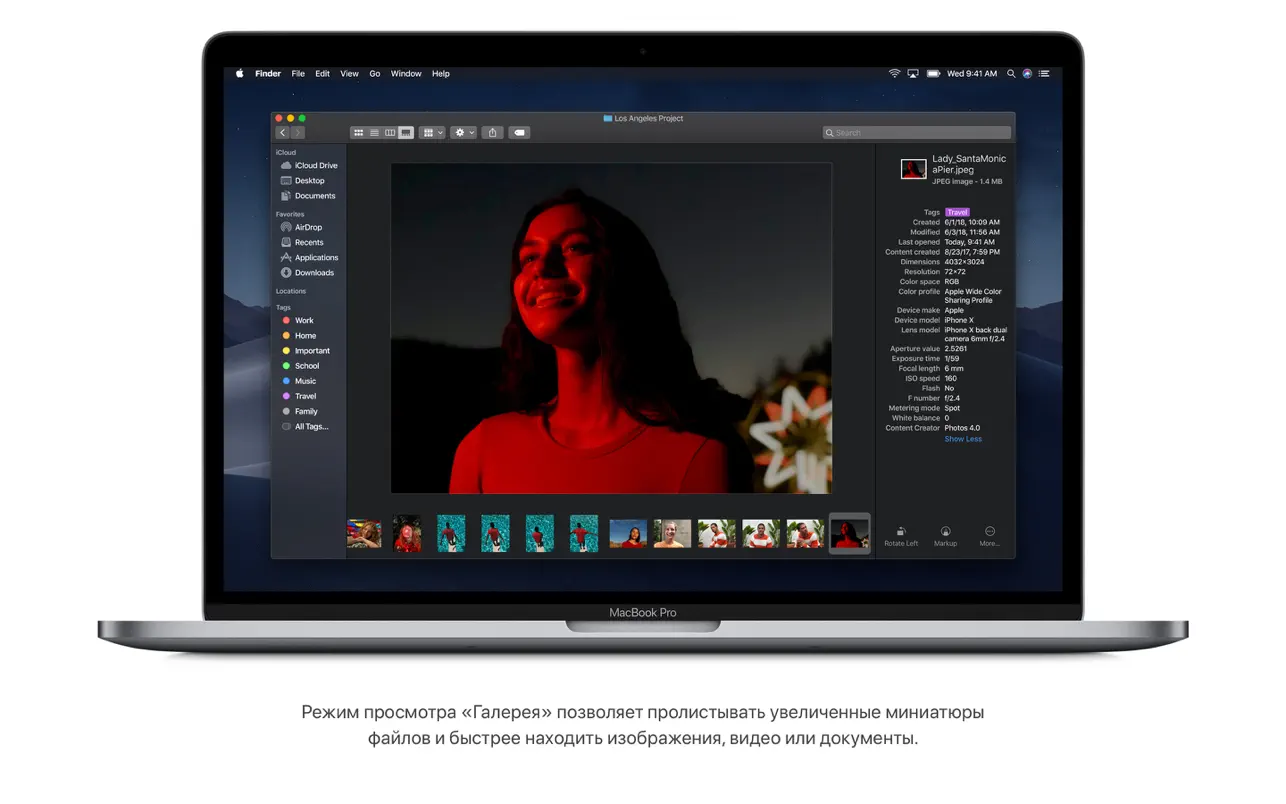
- Gallery View in Finder:
This feature allows you to visually browse files with huge previews and a sidebar that displays all of the metadata for quick modifications like audio reduction or image rotation.
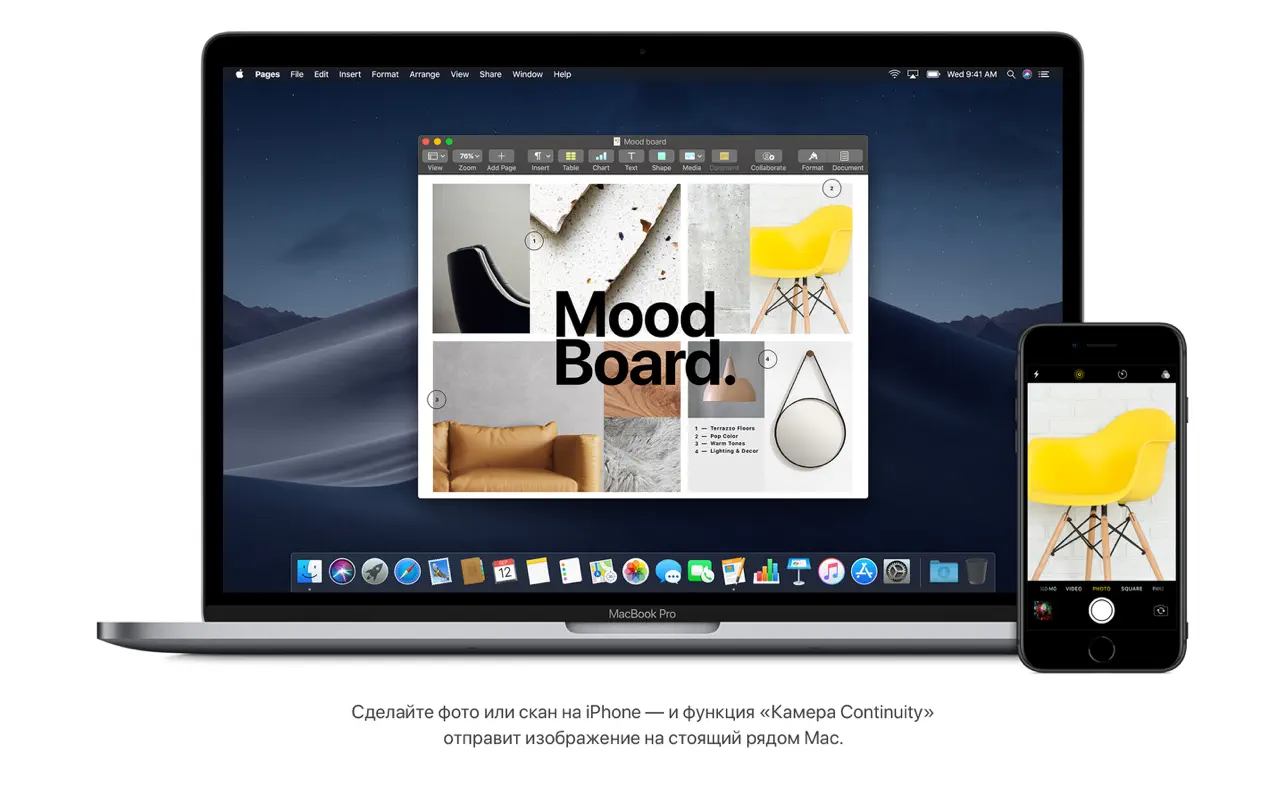
- Continuity Camera:
Enables you to take a picture or scan a document with your iPhone and have it display right on your Mac.
- Updated Screenshots:
Offers a robust new screen capture menu (Command-Shift-5) with built-in video recording and basic markup capabilities.
macOS Mojave’s dark theme
The first iteration of Apple’s desktop operating system to offer a dark theme is macOS Mojave. Regardless of the time of day or lighting circumstances, this mode makes using your Mac as comfortable as possible by darkening the interface. The desktop and built-in Mac apps can be used in dark mode.
Stacks
You may automate desktop organization with the peculiarly called “Stacks” feature. In accordance with your own organizational preferences, it can automatically organize files according to their extension, creation date, and other attributes.
Finder
Apple greatly enhanced the Finder and increased its capabilities when developing macOS Mojave. For the most comfortable administration and interaction, Finder now includes Gallery View, which provides thumbnail previews of files along with their metadata. Additionally, you can now rotate and crop media files from the Finder and password-protect documents without opening them at full size.
Home applications, Voice Recorder, News, and Promotions
With the release of macOS Mojave, these four apps—which were previously only accessible on the iPhone—are now accessible on the Mac. They allow users to conveniently take voice notes, manage smart home appliances, keep up with the latest news, keep an eye on stock prices, and even record full lectures.
FaceTime group calls
The FaceTime group calling feature, which enabled video conferences with up to 32 participants and was included in early beta editions of iOS 12 and macOS Mojave, proved to be more difficult to execute than Cupertino had anticipated. Apple promised to address all the problems later this fall, which is probably why they postponed the release.
The New Mac App Store
Apple entirely overhauled the Mac App Store with macOS Mojave, bringing it into line with the iOS App Store. With new tabs for software and editorial material, the Mac App Store is now even more helpful, educational, and user-friendly. You can still be sure that you won’t come across a Trojan or virus when downloading programs from the App Store.
Stop tracking in Safari. i
Similar to iOS 12, Safari for macOS now provides more capabilities to stop users from being tracked while they browse. Even when you share, like, and comment on websites and social media, the enhanced Intelligent Tracking Prevention feature now restricts tracking of your activities.
Availability
In addition to the features mentioned above, Continuity mode now offers more possibilities thanks to macOS Mojave. Photos, screenshots, and document scans produced with an iPhone or iPad can now be easily accessed by Mac users, enabling immediate editing and sharing via email or other channels.





Leave a Comment