Grand Theft Auto 2 icon

Grand Theft Auto 2

Action Games

The action-adventure game Grand Theft Auto 2 (1999) is set in “Anywhere City,” a dystopian, retrofuturistic metropolis. Players take control of Claude Speed, an aspiring criminal who completes assignments for rival gangs while navigating a unique respect system and escaping increasingly aggressive authorities.

Grand Theft Auto is returning. The automobiles move faster, the streets are busier, the bad people are meaner, and the cops are more aggressive. The FBI and the Army are now getting involved. Seven deadly gangs are engaged in a brutal power struggle, and this is their opportunity to establish their names. Respect is earned, not granted.

Key gameplay mechanics

Gang Loyalty and Respect:

  • You begin with a neutral stance toward the local gangs in each district. Doing jobs for one syndicate gains you respect from them, but loses it with their competitors. Low respect leads to gang members attacking you on sight.

Escalating Law Enforcement:

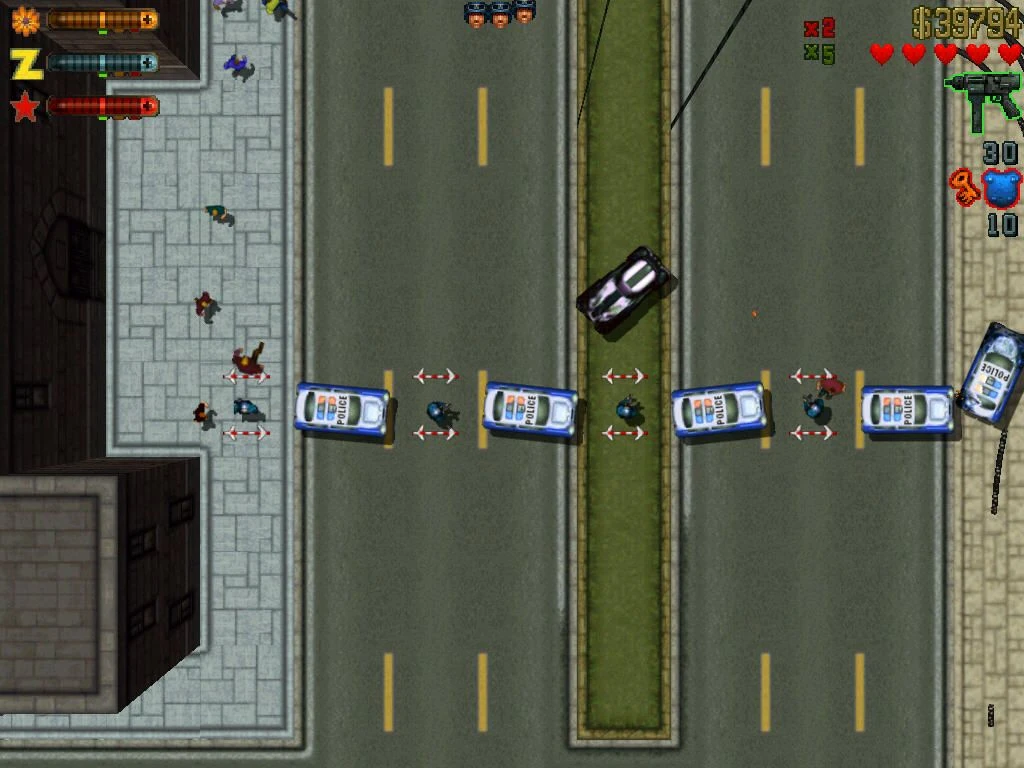
  • The game includes a multi-tiered wanted system. Petty crimes draw regular beat cops, but when your “wanted meter” grows, SWAT squads, the FBI, and the Army become involved.

Vehicles and Weapons:

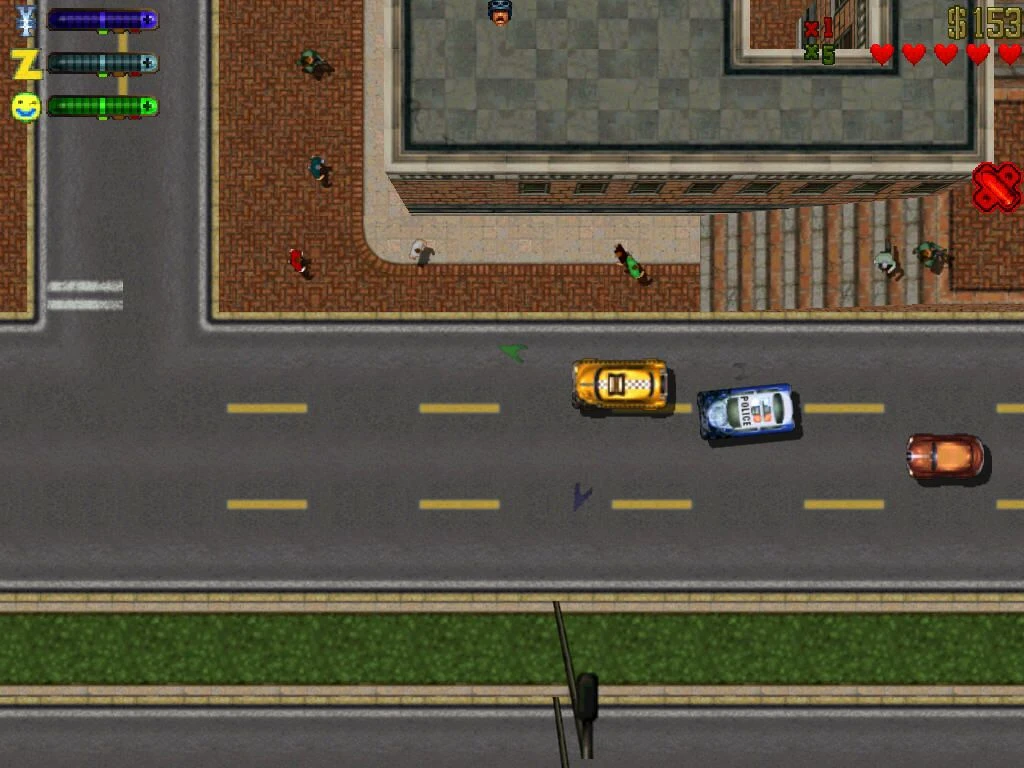
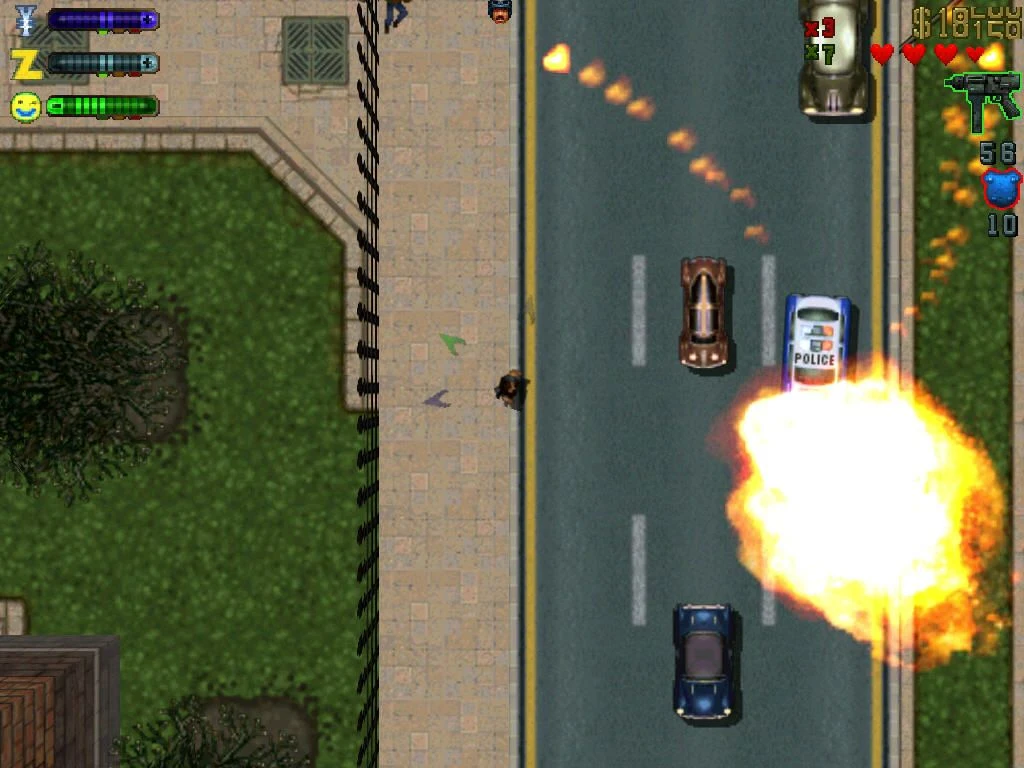
  • To go throughout the city, you must steal civilian and emergency cars. The game adds heavier artillery, such as rocket launchers, silenced machine guns, tasers, and molotov cocktails.

Details

Version 1.03 [Wineskin]
Developer Rockstar Games
Activation (RG) Not required
Tested on macOS Tahoe , Mac mini 2024 M4
Architecture ARM , x86 (64-bit)
Interface Language Russian , English , German , Italian
Voice Languages Russian , English

FAQ

Run the downloaded image and drag the application to the Applications folder shortcut. Once copying is complete, the application can be launched via Launchpad. When you launch the game, the "Dxwnd" window will open. Double-click the GTA2 icon. If an error occurs when launching the game, run the "Fix" file in the image. Where can I find my saves? Grand Theft Auto 2.app/Contents/SharedSupport/prefix/drive_c/KS Games/Grand Theft Auto 2/player How to change the language?.. The language can be changed in the game settings (Options). If the settings don't appear, exit the game. The settings window will appear.
There are so many errors, we can't list them all here. Therefore, we've described all the solutions (with pictures) in the article: Errors when installing applications on a Mac
Official updates may result in loss of activation unless otherwise stated in the installation instructions. To update the software from this website, you must download the new version of the software from here (if available) and install it over the version currently installed on your computer. This will preserve your activation and settings for the software. Read more in the article: Updating pirated apps
To download large files, it is recommended to use any download manager, for example, FDM (Free Download Manager) For downloading from a file sharing service like Filen.io, it's not recommended to use Safari. Use Google Chrome or the aforementioned FDM browser, for example. To download files via torrent (.torrent file), you need a torrent client, such as Transmission or the aforementioned FDM. Please remember that providers may block access to some websites (1fichier.com, etc.). To bypass these blocks, it is recommended to use a VPN.
The site administration doesn't hack anything. That's the job of release teams and some enthusiasts. They're the ones responsible for ensuring updates are available. But you can hack software yourself by learning reverse engineering.
Definitely not in the comments. The site administration doesn't hack anything, and there's no order desk. However, you can order the software you need (not for free) in a special thread on forum.ru-board.com.
Open System Preferences -> General > Language & Region -> Applications - “+”. Select an app and language. This method works for most apps. The language in Adobe products is usually selected during the installation of the product itself. The language in games is usually changed in the game settings itself. There are exceptions. Don't hesitate to search for information online.
There are many options. The easiest is to use specialized app removal utilities, such as App Cleaner & Uninstaller. To remove Adobe products, use the Creative Cloud Cleaner Tool .
The site offers a paid service: remote assistance (via AnyDesk, Zoom, Skype) with the installation of any applications (not just those from this site) on any Mac or PC. Learn more...

Leave a Comment

Version 1.03 [Wineskin]
Developer Rockstar Games
Interface language Russian , English , German , Italian
Activation (RG) Not required
Tested macOS Tahoe , Mac mini 2024 M4
Architecture ARM , x86 (64-bit)
Voice Languages Russian , English
No threats found. Read more…
Published (edited): June 28, 2026 Views: 27