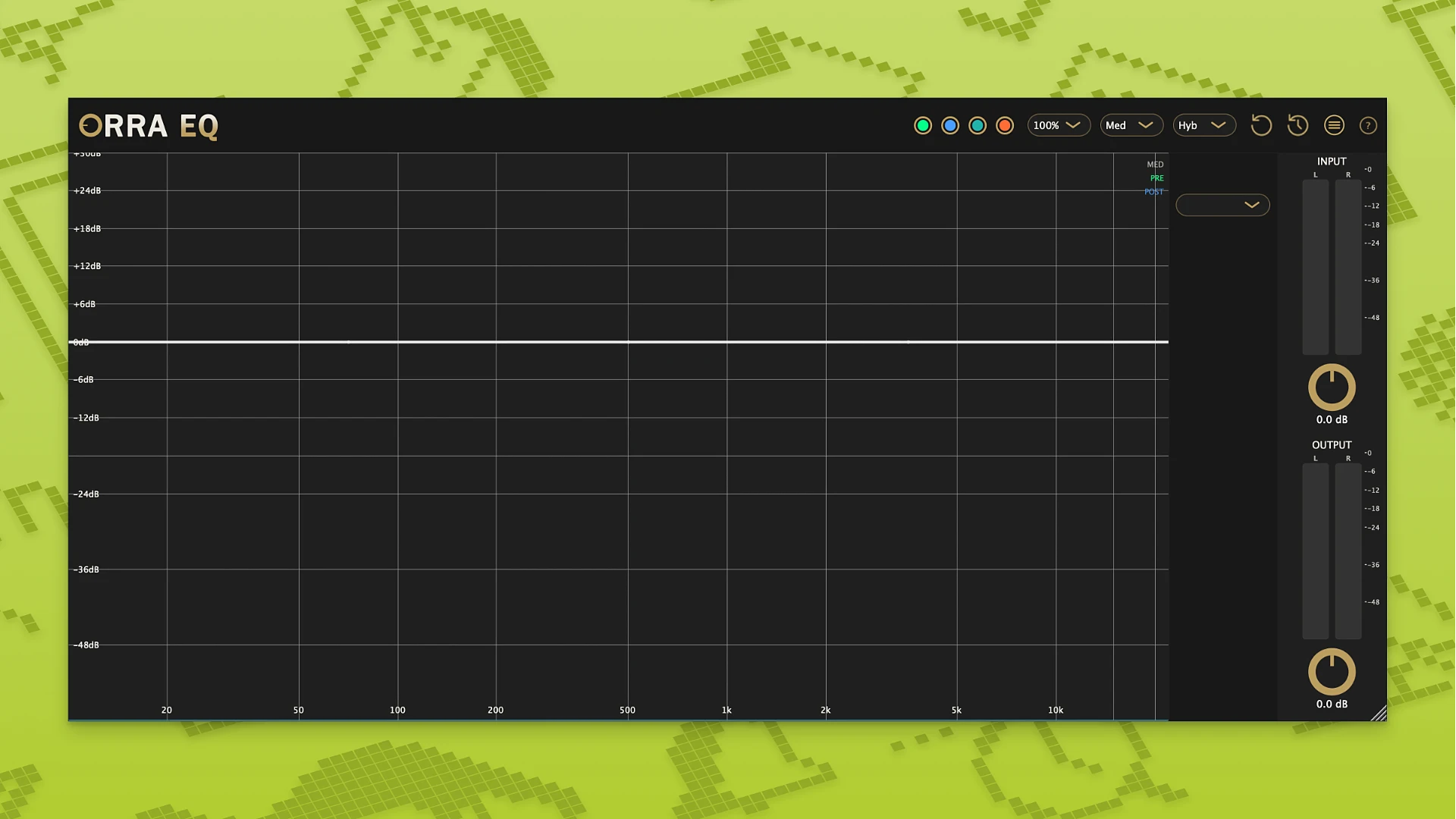
Orra Audio’s Orra EQ is a 16-band parametric equaliser that integrates dynamic processing, analogue-style saturation, and surgical EQ into a single cumulative processing chain. It enables separate per-frequency adjustments across your audio and is made for precise tone shaping.

Orra EQ is a sophisticated multi-band equaliser that integrates dynamics processing, saturation, and frequency manipulation into one device. It enables you to work with each component of the spectrum independently and apply various processing techniques, in contrast to traditional solutions.

This increases your flexibility since you may concurrently change the dynamics of some frequencies, add richness to others, and modify others.

For instance, you can use a single plugin to tighten the low end, add solidity to the mids, and brighten the highs. You can use it for both creative sound alterations and exact adjustments thanks to its flexible settings. When total control over the sound’s character is needed, Orra EQ is appropriate for mixing, mastering, and sound design.

Technical Details

  • Q Range: 0.1 to 40.
  • 48 dB/octave is the maximum filter slope
  • 10 Hz to 22 kHz is the frequency range.
  • Visuals: Offers pre/post-processing viewing choices and real-time input/output analyzers
Core Features
  • Series Architecture: Instead of using typical parallel processing, bands feed into each other cumulatively to create analogue-style harmonic accumulation.
  • Multimode Bands: EQ, Dynamic EQ, Orra Tube, Tape, and Models are the five operational options available for each of the 16 bands.
  • Dynamic Saturation: This technique acts as an upward compressor, applying saturation mainly to quieter signals while maintaining the clarity of your louder peaks. 17 different saturation options, including tube, console, and tape algorithms, are available in the Massive Saturation Palette.
  • Mid/Side Processing: You have the option to process the stereo, mid, or side channels separately for each band.
  • Musicality: Has a special “Snap to Key” function that automatically adjusts frequency increases to fit the major key
Details

Version 1.2.1
Developer Orra Audio
Activation (RG) K'ed by MORiA
Compatibility macOS 10.14 and later
Size 23 MB
Architecture ARM , x86 (64-bit)
Interface Language English

FAQ

Installation and activation instructions are included in the package (inside).
There are so many errors, we can't list them all here. Therefore, we've described all the solutions (with pictures) in the article: Errors when installing applications on a Mac
Official updates may result in loss of activation unless otherwise stated in the installation instructions. To update the software from this website, you must download the new version of the software from here (if available) and install it over the version currently installed on your computer. This will preserve your activation and settings for the software. Read more in the article: Updating pirated apps
To download large files, it is recommended to use any download manager, for example, FDM (Free Download Manager) For downloading from a file sharing service like Filen.io, it's not recommended to use Safari. Use Google Chrome or the aforementioned FDM browser, for example. To download files via torrent (.torrent file), you need a torrent client, such as Transmission or the aforementioned FDM. Please remember that providers may block access to some websites (1fichier.com, etc.). To bypass these blocks, it is recommended to use a VPN.
The site administration doesn't hack anything. That's the job of release teams and some enthusiasts. They're the ones responsible for ensuring updates are available. But you can hack software yourself by learning reverse engineering.
Definitely not in the comments. The site administration doesn't hack anything, and there's no order desk. However, you can order the software you need (not for free) in a special thread on forum.ru-board.com.
Open System Preferences -> General > Language & Region -> Applications - “+”. Select an app and language. This method works for most apps. The language in Adobe products is usually selected during the installation of the product itself. The language in games is usually changed in the game settings itself. There are exceptions. Don't hesitate to search for information online.
There are many options. The easiest is to use specialized app removal tools, such as App Cleaner & Uninstaller. To remove Adobe products, use the Creative Cloud Cleaner Tool .
The site offers a paid service: remote assistance (via AnyDesk, Zoom, Skype) with the installation of any applications (not just those from this site) on any Mac or PC.

Leave a Comment

Version 1.2.1
Developer Orra Audio
Interface language English
Activation (RG) K'ed by MORiA
Compatibility macOS 10.14 and later
Architecture ARM , x86 (64-bit)
Size 23 MB
No threats found. Read more…
Published (edited): May 21, 2026 Views: 19