
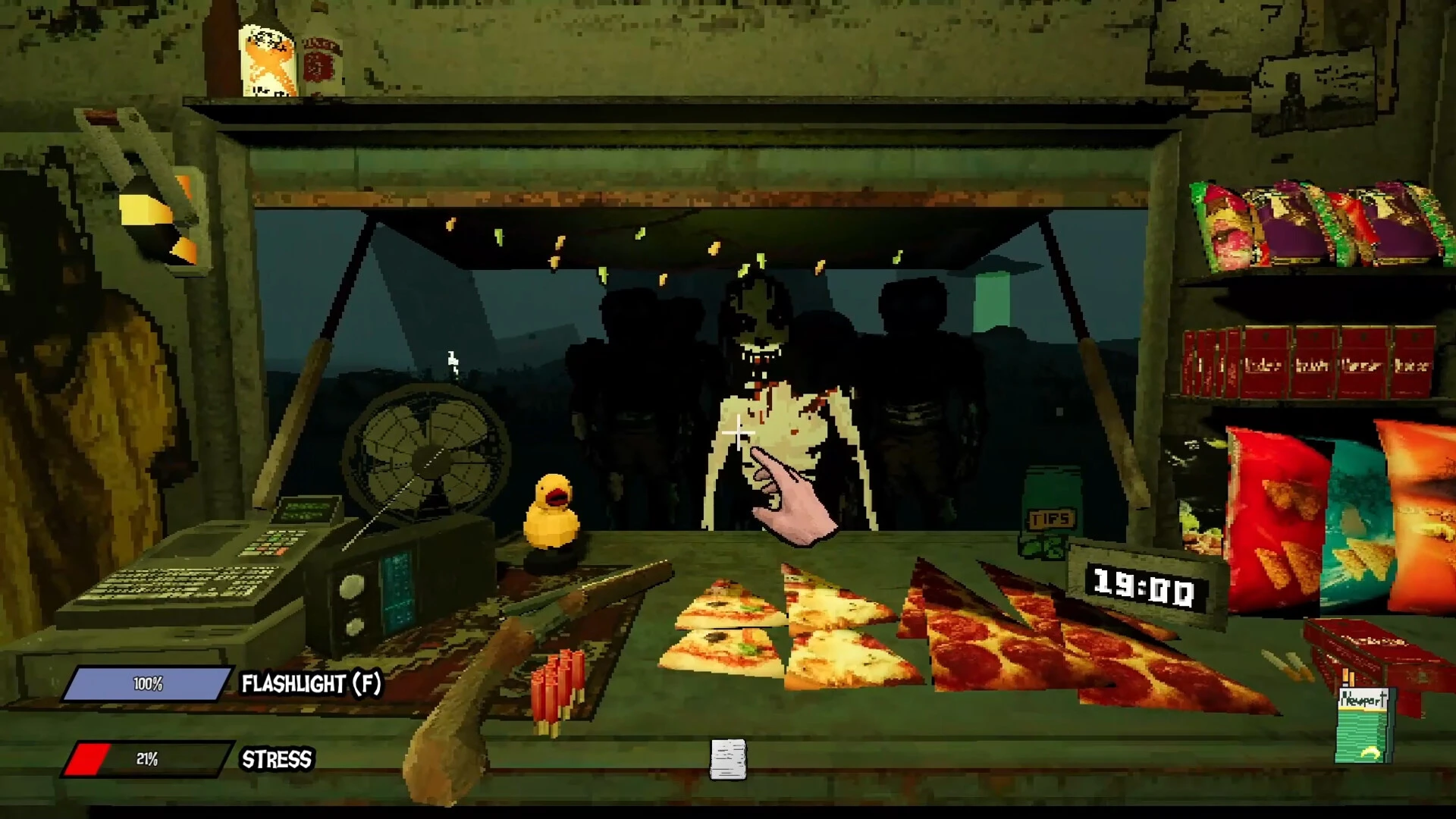
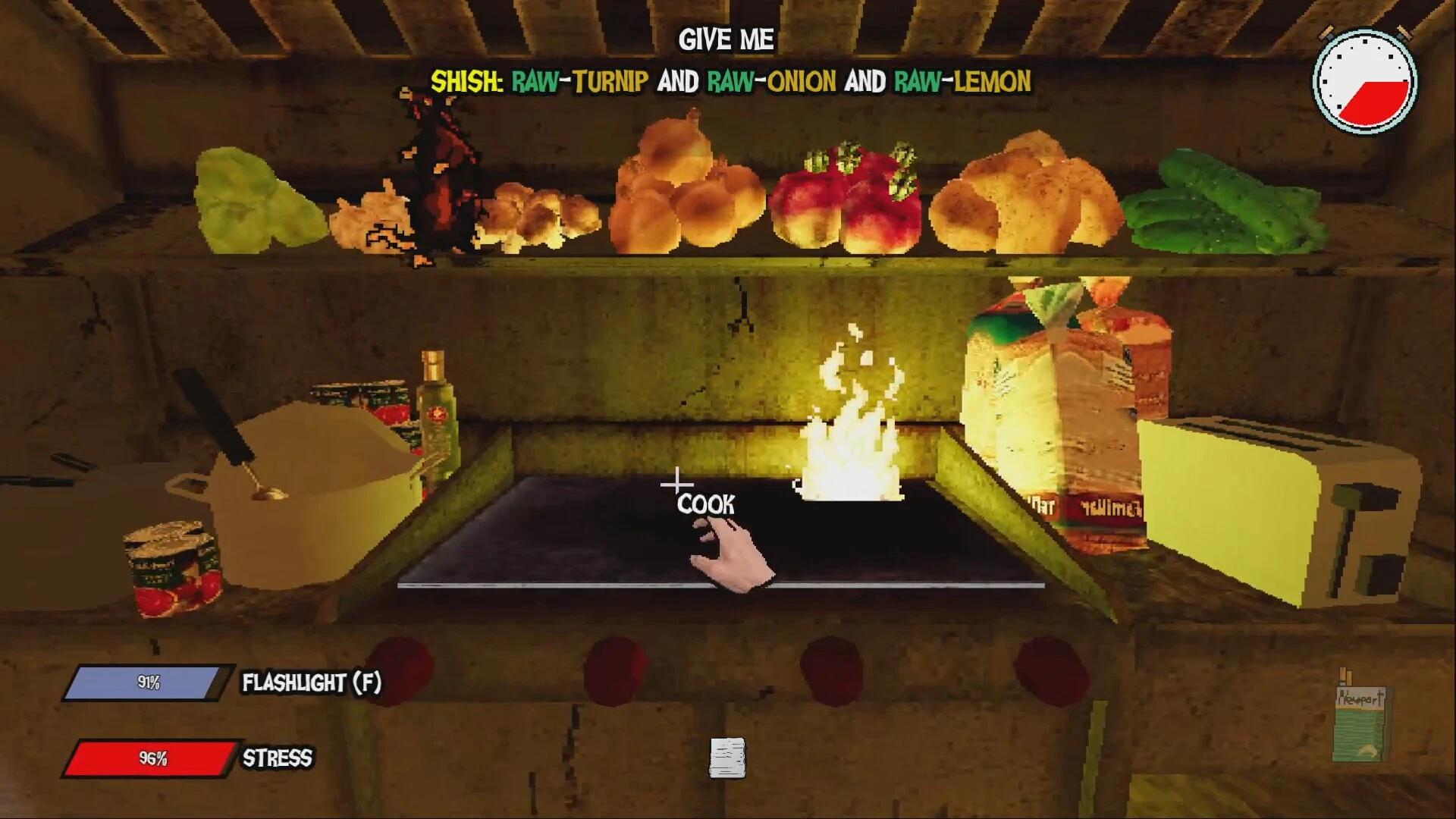
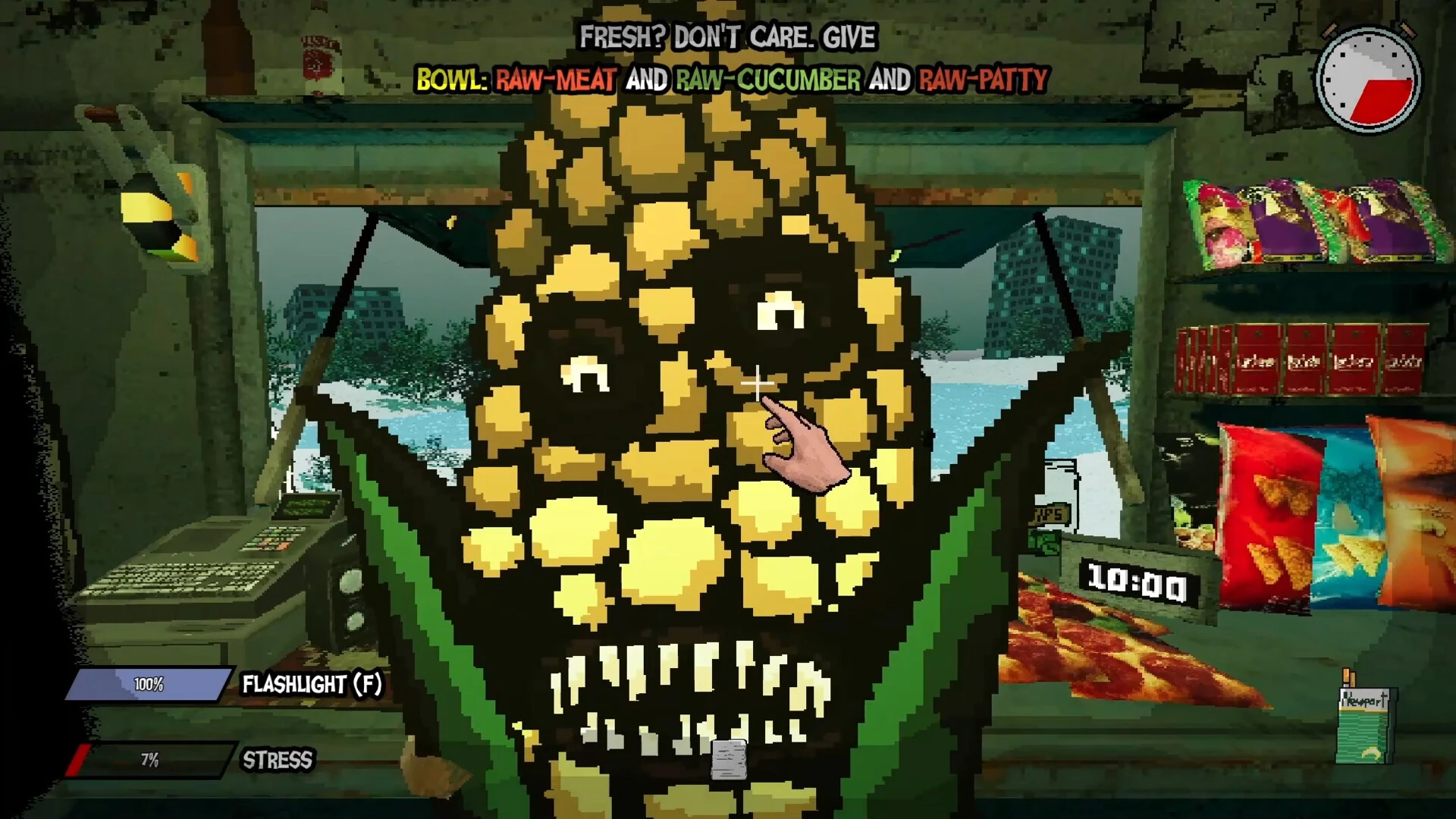
A scary food truck simulator is called Wasteland Bites. It’s difficult to cook dubious grub in a post-apocalyptic vehicle. But battling things that hide in the shadows, ferocious dogs, mutants, and UFOs? That is a true difficulty. A crazy blend of survival and cooking.

IS YOUR TRUCK STILL OPEN, HEY?

Serve bizarre food to even more bizarre patrons while operating a food truck in a post-apocalyptic world. Can you endure the terror of the service industry as well as the horrors of the wasteland?

You will become overwhelmed by stress if you serve the wrong people, make mistakes in orders, or ignore threats. You’re screwed when you get to the end of your rope. I have a mouth.

DO YOU HAVE FOOD?

It’s your responsibility to sate the insatiable appetites of the ravenous freaks who are already in line. Serve toast, bowls, and kebabs regardless of whether they are raw, fried, rotten, or radioactive. But keep in mind that occasionally a dose of lead is the only thing worth giving them!

You are responsible for that. Maintain the truck’s operation, make sensible use of your limited supplies, make it through each stop, and perhaps—just possibly—you’ll eventually arrive at that fabled, non-radioactive beach on the horizon.

Oddities:

  • Manage your stress levels when assisting clients and responding to threats.
  • Strange demands and even odd appearances from unpredictable guests
  • Different desolate locations, each with unique monsters and hazards
  • If you want to go through the wasteland for a little longer, upgrade your truck.
  • A lot of dark humor mixed with tense, chaotic gameplay

Details

Version 1.0.7
Developer CosmicDev
Activation (RG) Not required
Tested on macOS Tahoe , Mac mini 2024 M4
Size 410 MB
Architecture ARM , x86 (64-bit)
Interface Language Russian , English , German , Spanish , Simplified Chinese , Portuguese , Turkish
Voice Languages English

FAQ

Run the downloaded image and drag the application to the Applications folder shortcut. Once copying is complete, the application can be launched via Launchpad.
There are so many errors, we can't list them all here. Therefore, we've described all the solutions (with pictures) in the article: Errors when installing applications on a Mac
Official updates may result in loss of activation unless otherwise stated in the installation instructions. To update the software from this website, you must download the new version of the software from here (if available) and install it over the version currently installed on your computer. This will preserve your activation and settings for the software. Read more in the article: Updating pirated apps
To download large files, it is recommended to use any download manager, for example, FDM (Free Download Manager) For downloading from a file sharing service like Filen.io, it's not recommended to use Safari. Use Google Chrome or the aforementioned FDM browser, for example. To download files via torrent (.torrent file), you need a torrent client, such as Transmission or the aforementioned FDM. Please remember that providers may block access to some websites (1fichier.com, etc.). To bypass these blocks, it is recommended to use a VPN.
The site administration doesn't hack anything. That's the job of release teams and some enthusiasts. They're the ones responsible for ensuring updates are available. But you can hack software yourself by learning reverse engineering.
Definitely not in the comments. The site administration doesn't hack anything, and there's no order desk. However, you can order the software you need (not for free) in a special thread on forum.ru-board.com.
Open System Preferences -> General > Language & Region -> Applications - “+”. Select an app and language. This method works for most apps The language in Adobe products is usually selected during the installation of the product itself. The language in games is usually changed in the game settings itself. There are exceptions. Don't hesitate to search for information online.
There are many options. The easiest is to use specialized app removal tools, such as App Cleaner & Uninstaller. To remove Adobe products, use the Creative Cloud Cleaner Tool .
The site offers a paid service: remote assistance (via AnyDesk, Zoom, Skype) with the installation of any applications (not just those from this site) on any Mac or PC. Learn more...

Leave a Comment

Version 1.0.7
Developer CosmicDev
Interface language Russian , English , German , Spanish , Simplified Chinese , Portuguese , Turkish
Activation (RG) Not required
Tested macOS Tahoe , Mac mini 2024 M4
Architecture ARM , x86 (64-bit)
Voice Languages English
Size 410 MB
No threats found. Read more…
Published (edited): May 24, 2026 Views: 8



