


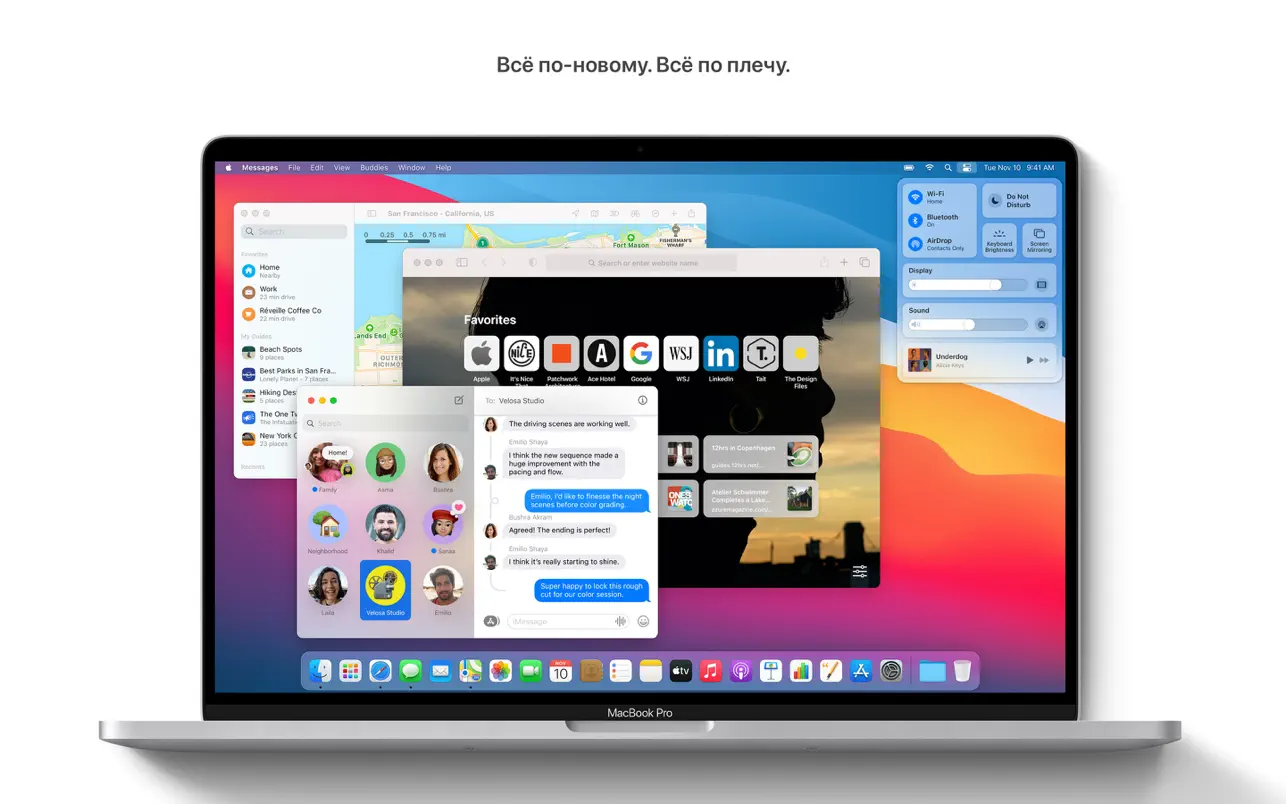
macOS Big Sur is a landmark release in Apple’s desktop operating system history. The 17th major version of the Mac’s operating system is renowned for initiating the switch to Apple’s proprietary ARM-based silicon processors (M-series chips) and bringing about a significant visual change.
macOS Big Sur raises the performance and aesthetic appeal of your Mac to new heights. Discover a gorgeous design that enhances the convenience of using your Mac. Savor the most extensive Safari upgrade to date. Check out the new features in Messages and Maps. And find out even more about privacy protection.
Important Features & Redesign:
- iOS-Inspired Design:
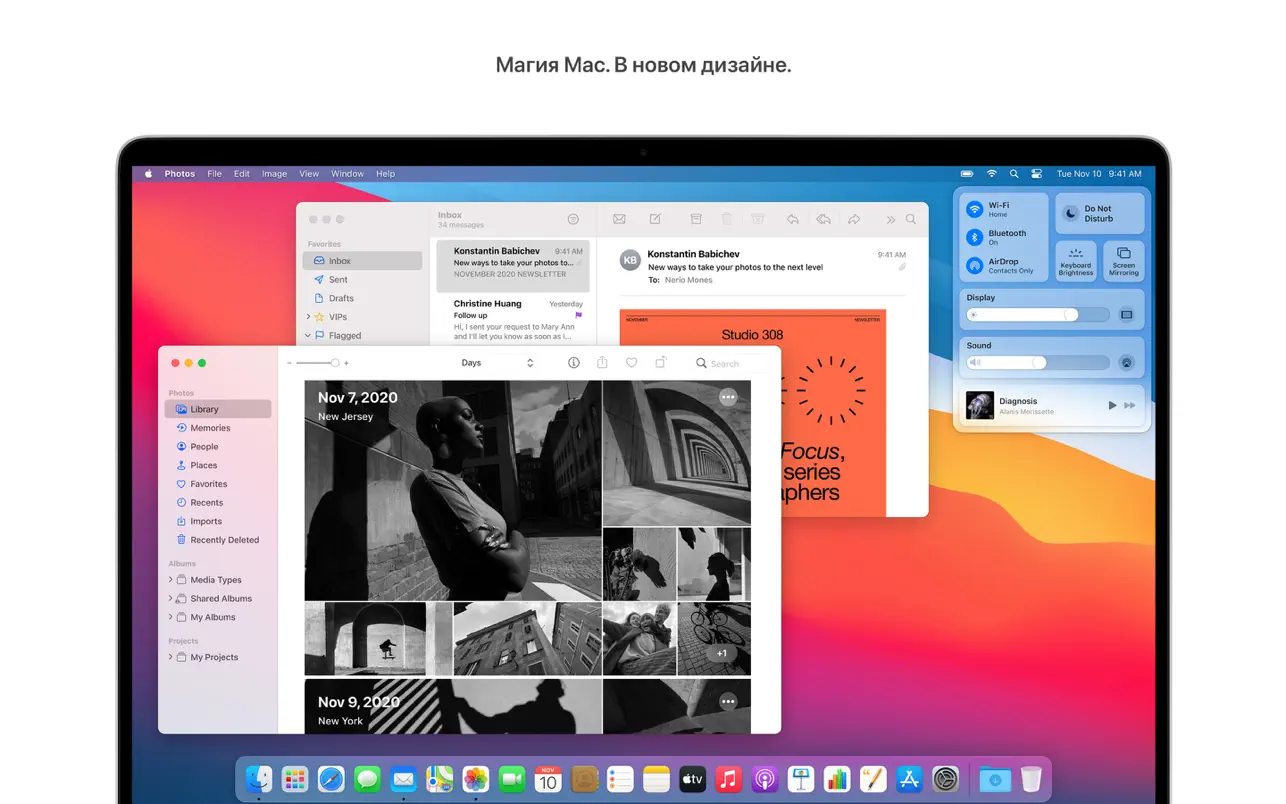
Big Sur introduced a major graphical overhaul, aligning macOS more closely with iPadOS and iOS. Elements feature a translucent Dock, redesigned icons, and a more spacious, touchscreen-like aesthetic.
- Control Center:
Brought the popular iPhone/iPad feature to the Mac, allowing users to toggle Wi-Fi, Bluetooth, volume, and brightness from one compact drop-down menu in the menu bar.
- Redesigned Notification Center:
Now groups notifications by app and includes interactive widgets of varying sizes, giving users quick glanceable information.
- Safari Upgrades:
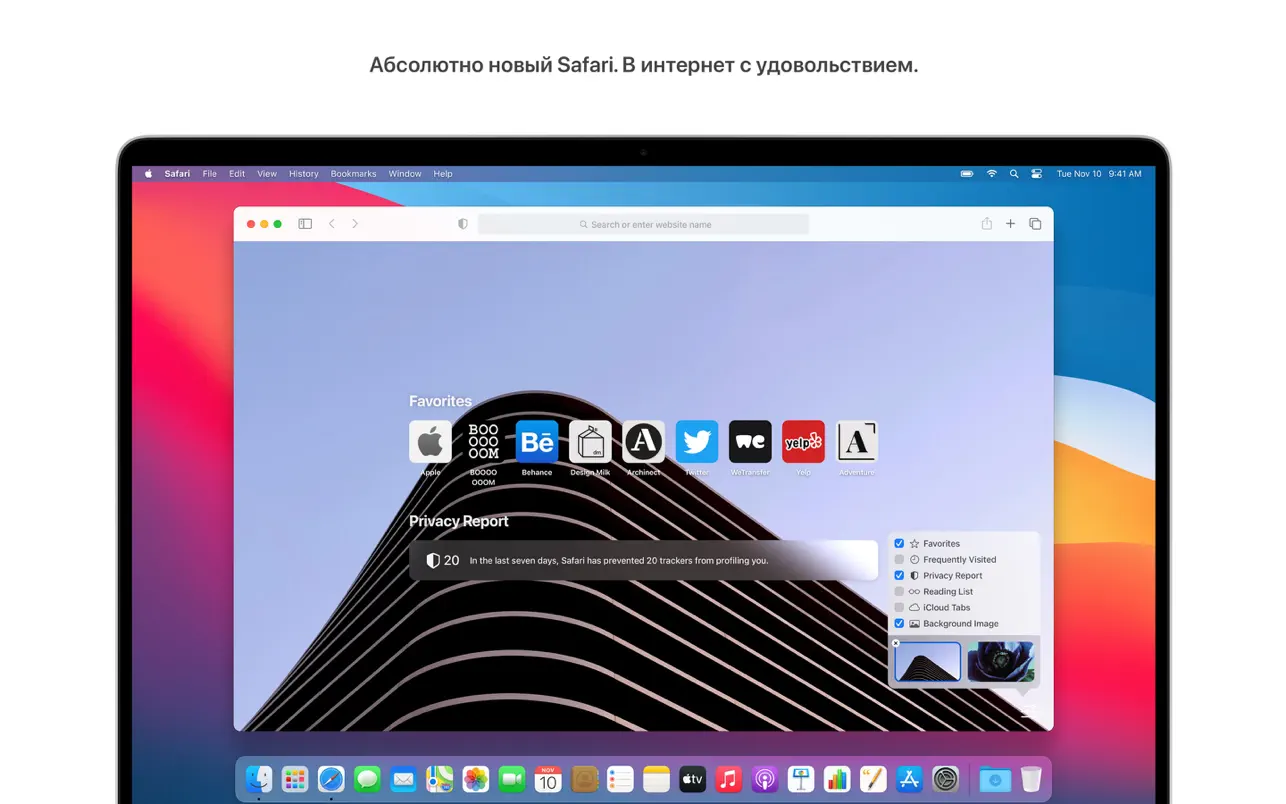
The native browser received major privacy enhancements (like the Privacy Report), built-in translation features, faster page loading speeds, and a customizable start page.
- Enhanced Native Apps:
Messages gained pinning for conversations and inline replies, while Maps added cycling routes and electric vehicle (EV) routing.
Design
- Full-width side menus and succinct toolbars have made working with material in applications even more convenient.
- The menu bar is now wider, making it almost invisible until you need it.
- System sounds now sound differently: they notify you about downloads, file transfers, moving objects to the Recycle Bin, removing protection, and other actions.
Center of control
- Control Center has everything you need to manage your device. Open it from the menu bar to quickly change settings.
- Expand the desired menu to access additional options
- Items from Control Center can be moved to the menu bar.
Center for Notification
- All notifications and widgets are combined in the redesigned Notification Center.• Interactive notifications expand to reveal actions and additional information.
- Informative widgets for Calendar, Clock, Notes, Photos, Podcasts, Reminders, Screen Time, Stocks, and Weather.
- You can alter the size of widgets in the editing mode.
- Third-party widget support.
Safari
- A fast, high-performance, and energy-efficient browser.*
- The start page’s background and components, such as the reading list, iCloud tabs, privacy report, etc., are customizable.
- More extensions, as well as a new category to find them in the App Store.
- New icons and tab designs. To see a preview of the website, hover over a tab.
- English, Spanish, Simplified Chinese, French, German, Russian, and Brazilian Portuguese are all supported by the Translate beta.
- The Privacy Report details which trackers were stopped and how Safari keeps you safe online.
- If your credentials are compromised, Safari safely verifies them.
- On the website, Safari prompts you to use the plugin.
Messages
- Pin up to 9 favorite conversations to the top of the list.
- Mentions: In a group discussion, respond to a message.
- Reply threads: Reply to a specific message.
- Messages can be sent with balloons, confetti, and other effects.
- The #images hashtag makes it easy to find GIF animations and add them to your message.
- Memoji makes it simple to design your own character and send stickers that capture your essence.
Cards
- Guides from your favorite brands will help you choose where to go and what to do.
- The “Look Around” function allows for virtual street walks.
- Making maps will make it easier for you to navigate retail malls and airports.
- Bicycle routes are convenient for planning a bicycle trip.
- Electric Vehicle Routes helps you plan your trip for supported electric vehicles added to your iPhone.





Leave a Comment