


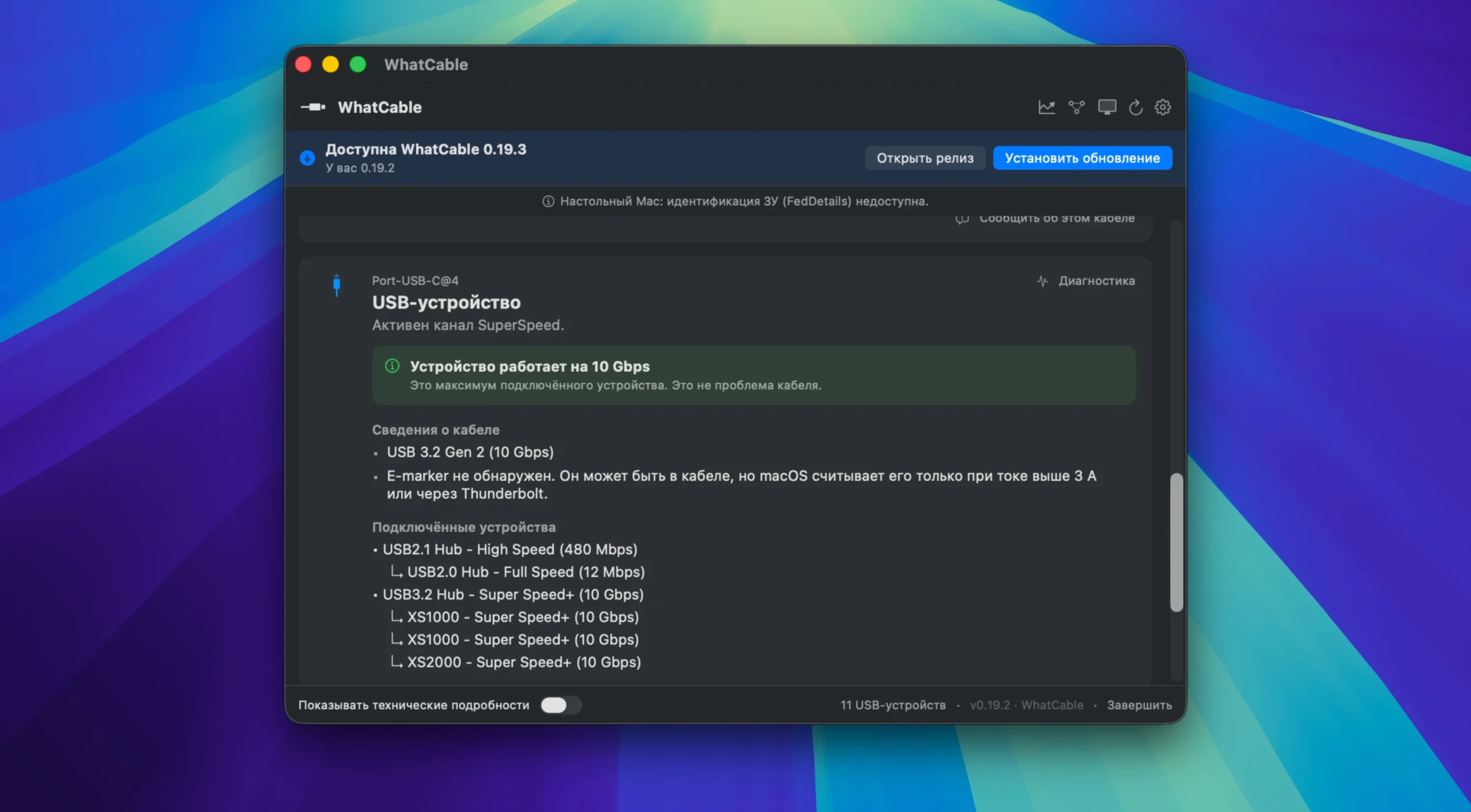
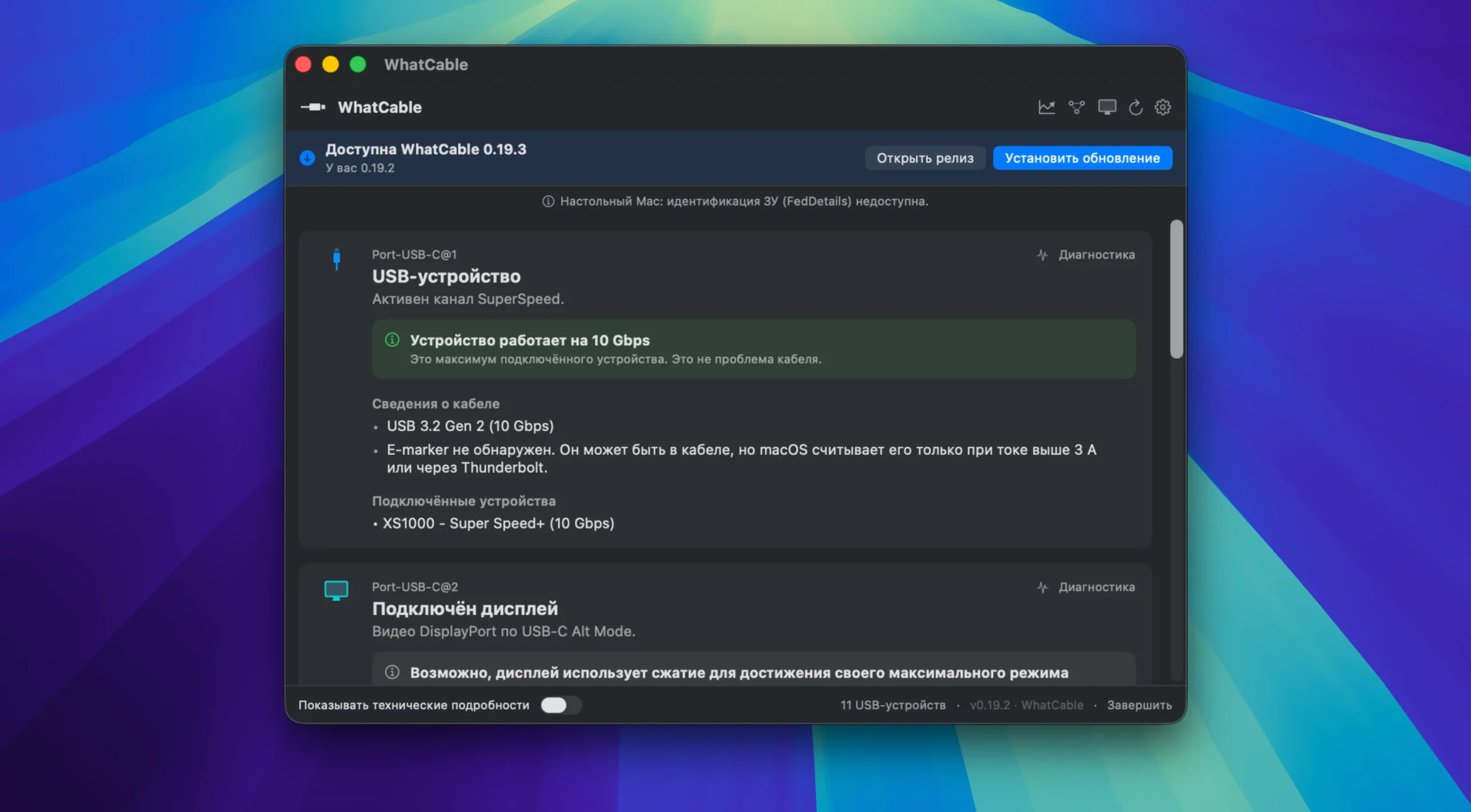
WhatCable Pro is a commercial version of the free, open-source macOS menu bar tool that helps you understand your USB-C ports and connections. It explains the precise capabilities of each plugged-in cable in terms of data speed, charging wattage, and display output in plain English.
WhatCable is a diagnostic tool that uncovers USB-C cables’ hidden features. It converts the technical data of the e-Marker chip into a language that is easy to comprehend, revealing real speed, supporting charging and video, and identifying connection bottlenecks.
While all USB-C cables have the same appearance, some only support USB 2.0 and sluggish charging, while others support 4K displays and fast charging. You can distinguish between them without having to guess, thanks to WhatCable.
Advanced hardware-level diagnostic tools are available with the Pro version, such as:
- Live Power Metering:
Shows each connected port’s wattage, voltage, and current in real time.
- Negotiation Diagnostics
By comparing what your Mac, cable, and device each support side by side, you may identify bottlenecks and visually indicate the weak area.
- Display Diagnostics
Determine why a monitor is stuck at a lower resolution or refresh rate. It verifies that data lanes are in use, names the adapter in the chain, and displays real resolution on 5K/6K screens.
- Power Monitor:
Offers a real-time graph of the total system power input for your Mac.
- Hardware Insight:
Indicates the state of liquid detection, gives pin schematics, and estimates cable resistance.
- Flexible Windows:
Even on Macs that don’t natively support per-port metering, it can open Pro screens within the application or separate them into independent floating windows.
Oddities:
- Diagnostics: Determine whether the Mac, the cable, or the connected device is the cause of your slow charging or data transfer speeds.
- Charging: Check to see whether the current is being limited by your Mac, charger, or cord.
- Data Speed: Shows if using a faster cable will be beneficial.
- Display Connection: Verifies whether the cable can output the monitor’s full resolution and refresh rate.
- Interpreting e-marker data: Displays the manufacturer details, supported USB Power Delivery profiles, maximum current (3A or 5A), and declared cable speed (USB 2.0, USB4, or Thunderbolt).
- Device Identification: Indicates which device (SSD, docking station, peripheral) is attached to which port and how quickly it is running.
- Integrated CLI (command line): This feature lets you get diagnostics in the terminal, including in JSON format for scripts and in– watch mode for monitoring cable connections.
- Cable Trust Indications: Verifies e-marker data against USB-IF requirements and flags suspicious values (reserved bits, zero vendor ID) to suggest potential counterfeiting.
- Live Power Measurements: Every port’s watts, amps, and volts are updated continuously.
- Complete Negotiation Diagnostics: Identifies the weak point by comparing Mac port, cable, and device support.
- Advanced Display Diagnostics: Verifies whether the cable can output the monitor’s full resolution and refresh rate (with support for DP Alt Mode and EDID).
- Port Health Counters: FET reset, error, and failure data over time.
- PD Contract Inspector: Full list of active voltage/current, mismatch flags, and PDOs (Power Profiles).
- Raw VDO data: For sophisticated users and developers.





Leave a Comment