


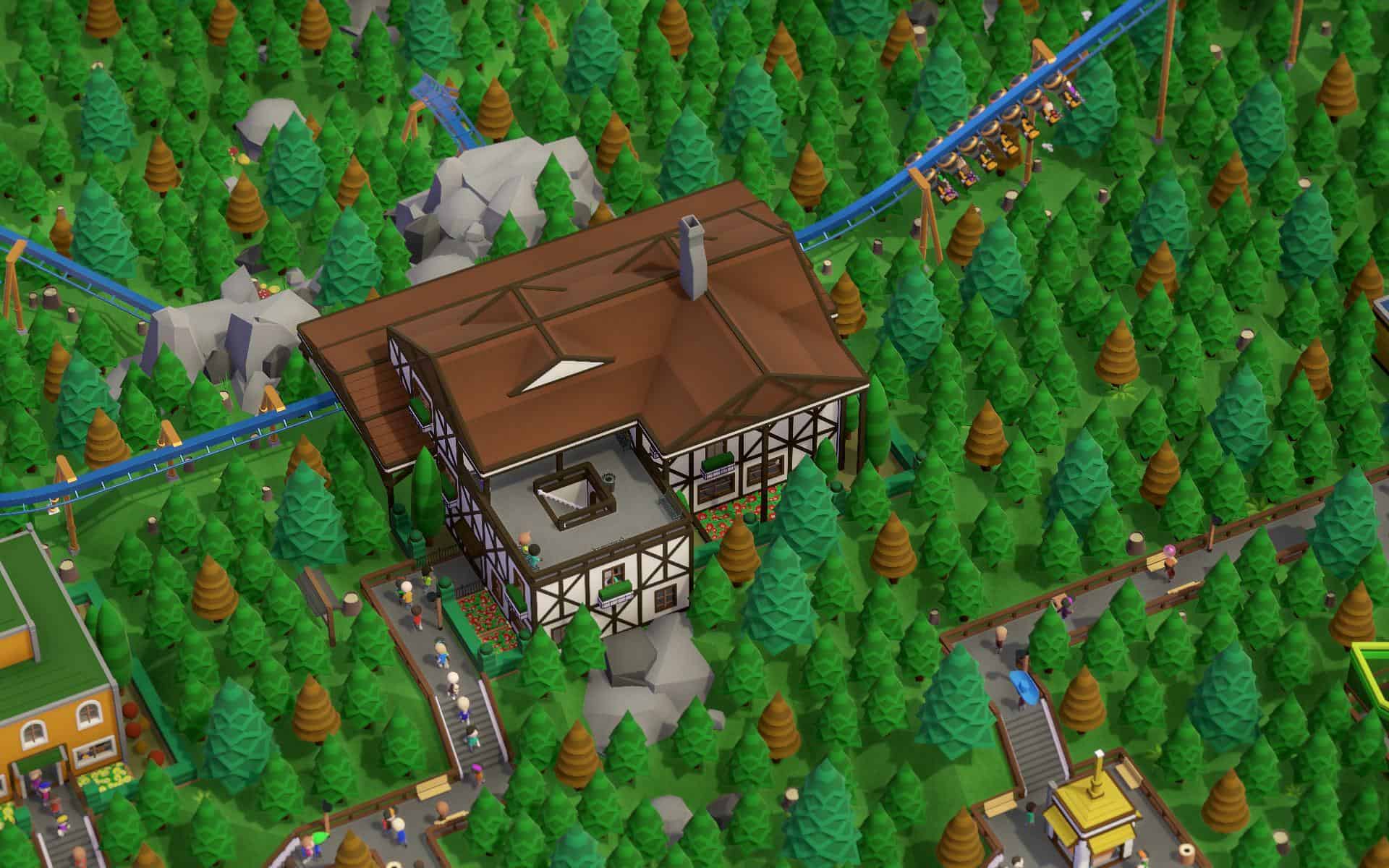
In the contemporary building-and-business-management simulation game Parkitect, players develop and run theme parks. It challenges you to design exhilarating roller coasters, manage staff logistics, and ensure visitor satisfaction to create a successful park.

Features Full:

  • You can design and oversee the theme parks of your dreams at Parkitect. Construct your own roller coasters, create a lucrative park that draws large crowds, and overcome difficult campaigns.
  • Make the ideal park for everyone! Build structures, add water, and alter the landscape! You may construct anything you can think of thanks to an enormous assortment of décor in a wide range of topics.
  • If that’s insufficient, you can utilise game mods and unique components from the Steam Workshop!
  • Let your park serve as the focal point of a roller coaster that you have created! Create it from scratch or expand on pre-existing designs.
  • With more than 70 of the most well-known park attractions in the world included in the game—spins, loops, flights, and flips—you’ll have plenty to wow your guests.

Important aspects of the game consist of:

  • Deep Logistics & Management: Parkitect places a lot of emphasis on the “behind-the-scenes” corporate operations, in contrast to conventional builder games.
  • Haulers must use supply depots and secret underground tunnels to replenish shops, and staff duties must be planned to maintain the park’s smooth operation without interfering with visitors’ immersion.
  • Creative Building Tools: You can create unique sceneries using modular building pieces, terraform terrain, and create custom roller coasters that measure speed, intensity, and sickness.
  • Game Modes: Includes a calm Sandbox mode, a narrative-driven Campaign with 26 distinct situations, and a scenario editor for personalized
  • Multiplayer: Enables up to eight players to collaborate online while creating and running a theme park.
  • Expansions: Additional rides, themes, and campaign levels can be found in official downloadable content (DLC), such as Booms & Blooms and Taste of Adventure.


Details

Version 1.12e3
Developer Texel Raptor
Activation (RG) DRM-free (no protection)
Tested on macOS Tahoe , Mac mini 2024 M4
Size 800 MB
Architecture x86 (64-bit)
Interface Language Russian , English , German , Spanish , Simplified Chinese , Korean , Dutch , French
Voice Languages Musical accompaniment

FAQ

Launch the downloaded file and follow the standard installation procedure. The installation is completed by selecting a location for the game. It is recommended to select the Applications folder.
There are so many errors, we can't list them all here. Therefore, we've described all the solutions (with pictures) in the article: Errors when installing applications on a Mac
Official updates may result in loss of activation unless otherwise stated in the installation instructions. To update the software from this website, you must download the new version of the software from here (if available) and install it over the version currently installed on your computer. This will preserve your activation and settings for the software. Read more in the article: Updating pirated apps
To download large files, it is recommended to use any download manager, for example, FDM (Free Download Manager) For downloading from a file sharing service like Filen.io, it's not recommended to use Safari. Use Google Chrome or the aforementioned FDM browser, for example. To download files via torrent (.torrent file), you need a torrent client, such as Transmission or the aforementioned FDM. Please remember that providers may block access to some websites (1fichier.com, etc.). To bypass these blocks, it is recommended to use a VPN.
The site administration doesn't hack anything. That's the job of release teams and some enthusiasts. They're the ones responsible for ensuring updates are available. But you can hack software yourself by learning reverse engineering.
Definitely not in the comments. The site administration doesn't hack anything, and there's no order desk. However, you can order the software you need (not for free) in a special thread on forum.ru-board.com.
Open System Preferences -> General > Language & Region -> Applications - “+”. Select an app and language. This method works for most apps. The language in Adobe products is usually selected during the installation of the product itself. The language in games is usually changed in the game settings itself. There are exceptions. Don't hesitate to search for information online.
There are many options. The easiest is to use specialized app removal tools, such as App Cleaner & Uninstaller. To remove Adobe products, use the Creative Cloud Cleaner Tool.
The site offers a paid service: remote assistance (via AnyDesk, Zoom, Skype) with the installation of any applications (not just those from this site) on any Mac or PC. Learn more...

Leave a Comment

Version 1.12e3
Developer Texel Raptor
Interface language Russian , English , German , Spanish , Simplified Chinese , Korean , Dutch , French
Activation (RG) DRM-free (no protection)
Tested macOS Tahoe , Mac mini 2024 M4
Architecture x86 (64-bit)
Voice Languages Musical accompaniment
Size 800 MB
No threats found. Read more…
Published (edited): May 21, 2026 Views: 9


