


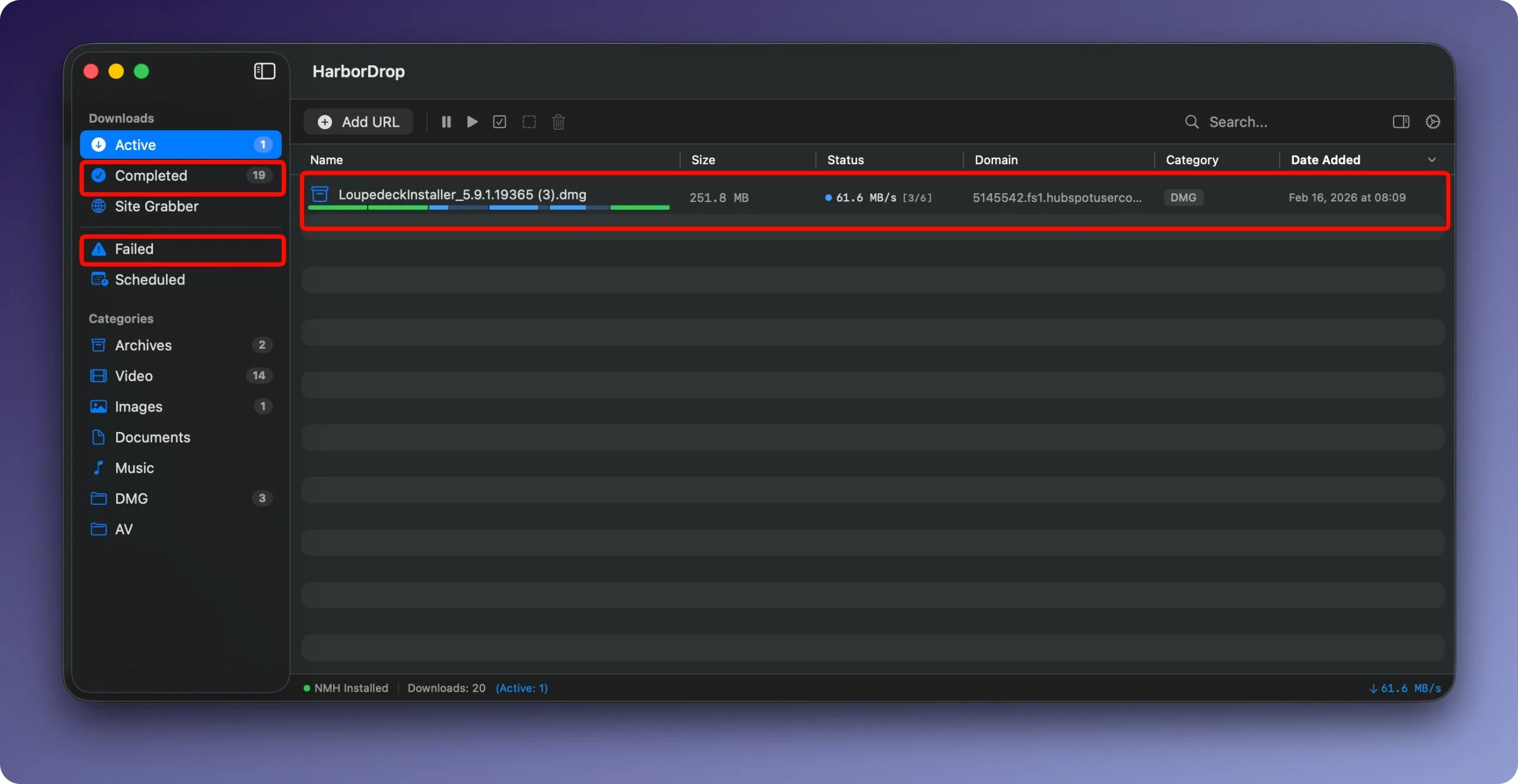
For quick, well-organized file downloads and media detection, HarborDrop is a native macOS download manager and browser plugin. It functions as a “native IDM (Internet Download Manager) for Mac,” enabling concurrent, multi-segment downloads to optimize speeds for documents, video, audio, and HLS/m3u8 streams.
A download manager called HarborDrop was created for people who don’t think a typical browser has enough features. It presents itself as a complete substitute for the well-known Internet Download Manager (IDM), tailored to the Apple environment.
Main Key Features:
- Segmentation speeds up downloads: The file is divided into multiple sections (up to six by default, customizable) that download simultaneously. This greatly speeds up the download of big files and enables more effective use of Internet bandwidth.
- Downloading HLS and m3u8 streams: You can download non-DRM videos from various websites for offline viewing because the program can handle videos transmitted using HLS streaming protocols (m3u8 playlists).
- Browser Integration: You can intercept file links and all links on a page or media content and transmit them straight to HarborDrop using the Chrome, Edge, Brave, Arc (based on Chromium), and Firefox extensions.
- Automatic sorting: Rules based on file type or site domain can be set up. Uploaded files will be automatically sorted into the appropriate directories by HarborDrop.
- Automation after download: You can open the folder containing the file in Finder, run a script (AppleScript, Shell, JavaScript), or carry out any other custom action after the download is finished.
- Site Grabber: A feature that gathers and downloads all links in bulk (or in accordance with a template) with a predetermined page depth.





Leave a Comment