
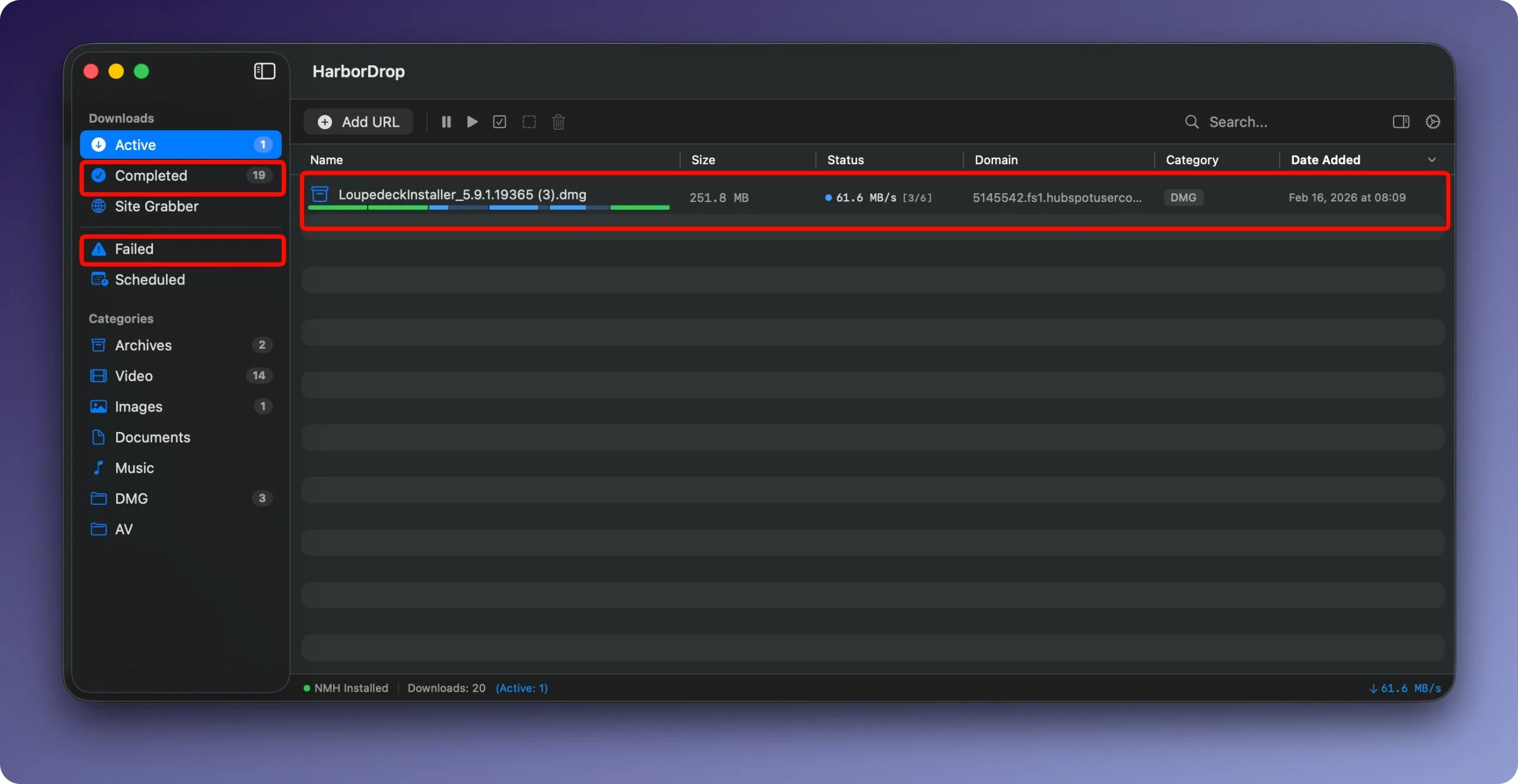
For quick, well-organized file downloads and media detection, HarborDrop is a native macOS download manager and browser plugin. It functions as a “native IDM (Internet Download Manager) for Mac,” enabling concurrent, multi-segment downloads to optimize speeds for documents, video, audio, and HLS/m3u8 streams.

A download manager called HarborDrop was created for people who don’t think a typical browser has enough features. It presents itself as a complete substitute for the well-known Internet Download Manager (IDM), tailored to the Apple environment.

Main Key Features:

  • Segmentation speeds up downloads: The file is divided into multiple sections (up to six by default, customizable) that download simultaneously. This greatly speeds up the download of big files and enables more effective use of Internet bandwidth.
  • Downloading HLS and m3u8 streams: You can download non-DRM videos from various websites for offline viewing because the program can handle videos transmitted using HLS streaming protocols (m3u8 playlists).
  • Browser Integration: You can intercept file links and all links on a page or media content and transmit them straight to HarborDrop using the Chrome, Edge, Brave, Arc (based on Chromium), and Firefox extensions.
  • Automatic sorting: Rules based on file type or site domain can be set up. Uploaded files will be automatically sorted into the appropriate directories by HarborDrop.
  • Automation after download: You can open the folder containing the file in Finder, run a script (AppleScript, Shell, JavaScript), or carry out any other custom action after the download is finished.
  • Site Grabber: A feature that gathers and downloads all links in bulk (or in accordance with a template) with a predetermined page depth.


Details

Version 1.2.4
Developer oar
Activation (RG) Not required
Compatibility macOS 12 and later
Size 9 MB
Architecture ARM , x86 (64-bit)
Interface Language English , German, Korean

FAQ

Run the downloaded image and drag the application to the Applications folder shortcut. Once the copying is complete, the application can be launched via Launchpad.
There are so many errors, we can't list them all here. Therefore, we've described all the solutions.
Official updates may result in loss of activation unless otherwise stated in the installation instructions. To update the software from this website, you must download the new version of the software from here (if available) and install it over the version currently installed on your computer.
To download large files, it is recommended to use any download manager, for example, FDM (Free Download Manager). For downloading from a file sharing service like Filen.io, it's not recommended to use Safari. Use Google Chrome or the aforementioned FDM browser, for example. To download files via torrent (.torrent file), you need a torrent client, such as Transmission or the aforementioned FDM.
The site administration doesn't hack anything. That's the job of release teams and some enthusiasts. They're the ones responsible for ensuring updates are available. But you can hack software yourself by learning reverse engineering.
Definitely not in the comments. The site administration doesn't hack anything, and there's no order desk.
Open System Preferences -> General > Language & Region -> Applications— “+”. Select an app and language. This method works for most apps. The language in Adobe products is usually selected during the installation of the product itself. The language in games is usually changed in the game settings itself. There are exceptions. Don't hesitate to search for information online.
There are many options. The easiest is to use specialized app removal tools, such as App Cleaner & Uninstaller. To remove Adobe products, use the Creative Cloud Cleaner Tool.
The site offers a paid service: remote assistance (via AnyDesk, Zoom, Skype) with the installation of any applications (not just those from this site) on any Mac or PC.

Leave a Comment

Version 1.2.4
Developer oar
Interface language English , German, Korean
Activation (RG) Not required
Compatibility macOS 12 and later
Architecture ARM , x86 (64-bit)
Size 9 MB
No threats found. Read more…
Published (edited): May 8, 2026 Views: 11


