


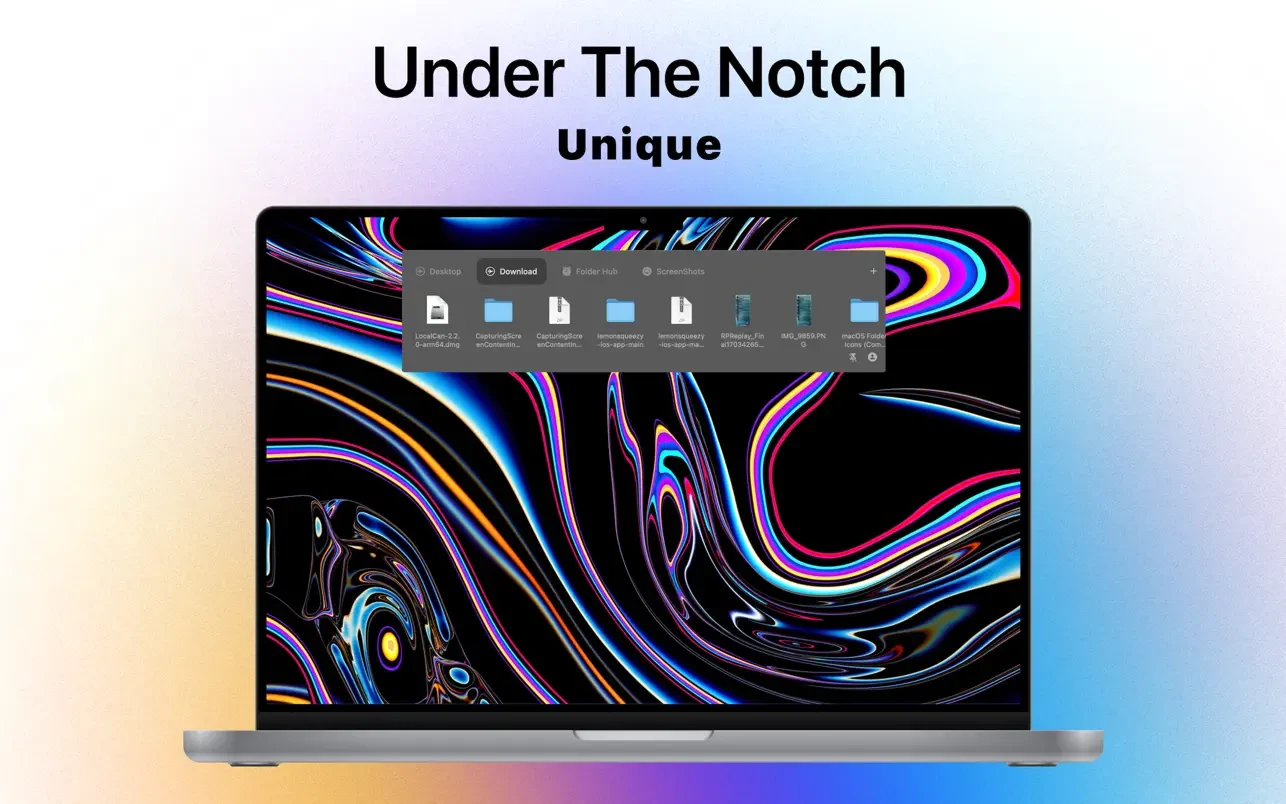

The Hub folder is situated above every other window; it doesn’t cover the window that is now open. Folder Hub stays in the last workspace you chose when you visit it again, saving you from having to look for a closed Finder window. A program called Folder Hub is used to quickly access and search the working directory’s files and folders.
What issues does Folder Hub resolve?
- We frequently deal with a large number of files and folders in our everyday work, usually arranging them into several directories for various projects. However, it is frequently necessary to navigate through levels of nested directories in order to access particular project files.
- If you unintentionally close a folder window, you will have to search through the full folder hierarchy once more in order to locate the required file.
- Accessing the files you require may be challenging even if a window is open because other open windows, like a web browser, are obstructing your view.
In what ways does Folder Hub address these issues (interaction design)?
- The Folder Hub window is concealed beneath the MacBook’s notch by default. The Folder Hub window emerges when you move the mouse inside the notch; it vanishes once more when you move the mouse outside the window.
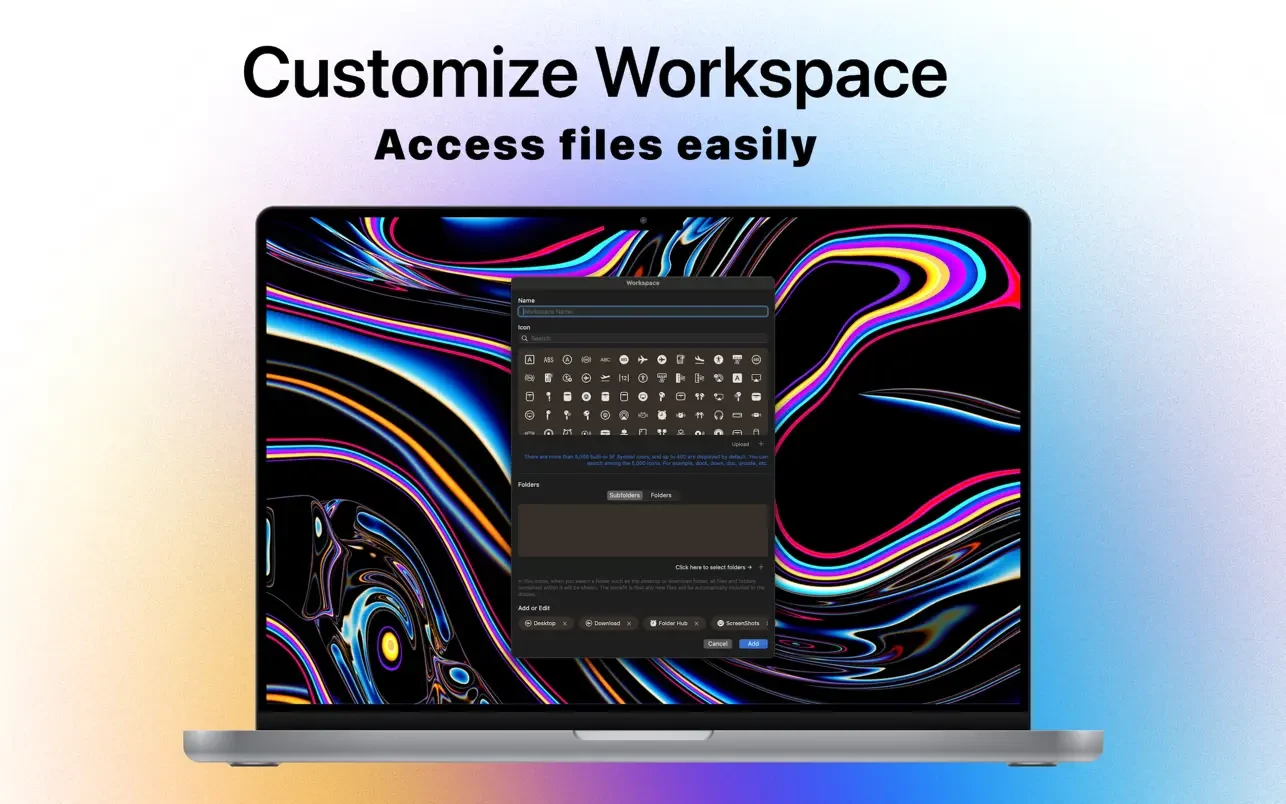
- The Folder Hub shows a number of user-configurable workspaces, including Desktop, Downloads, Project A, and Project B, which hold the files and folders associated with each project. Hovering the mouse over the appropriate area allows you to switch between workspaces.
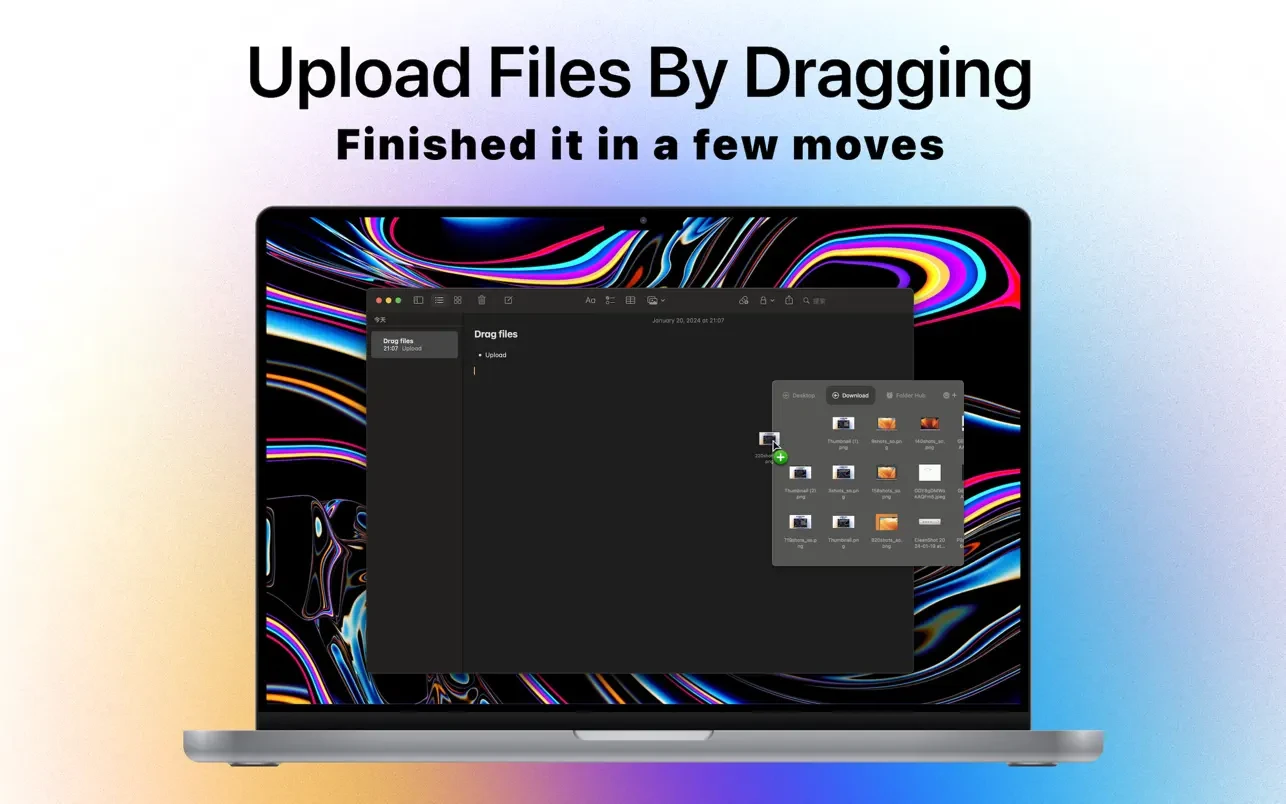
One instance would be loading pictures:
- Assume we have to load pictures from “Project A” into a web browser.
- We can drag and drop images straight into the browser from the “Project A” workspace by dragging the cursor to the text area and then hovering over it.
You can see the following from this straightforward example:
- Navigating through nested directories is not necessary.
- The Hub folder is situated above every other window; it doesn’t cover the window that is now open.
- Folder Hub stays in the last workspace you chose when you visit it again, saving you from having to look for a closed Finder window.





Leave a Comment