


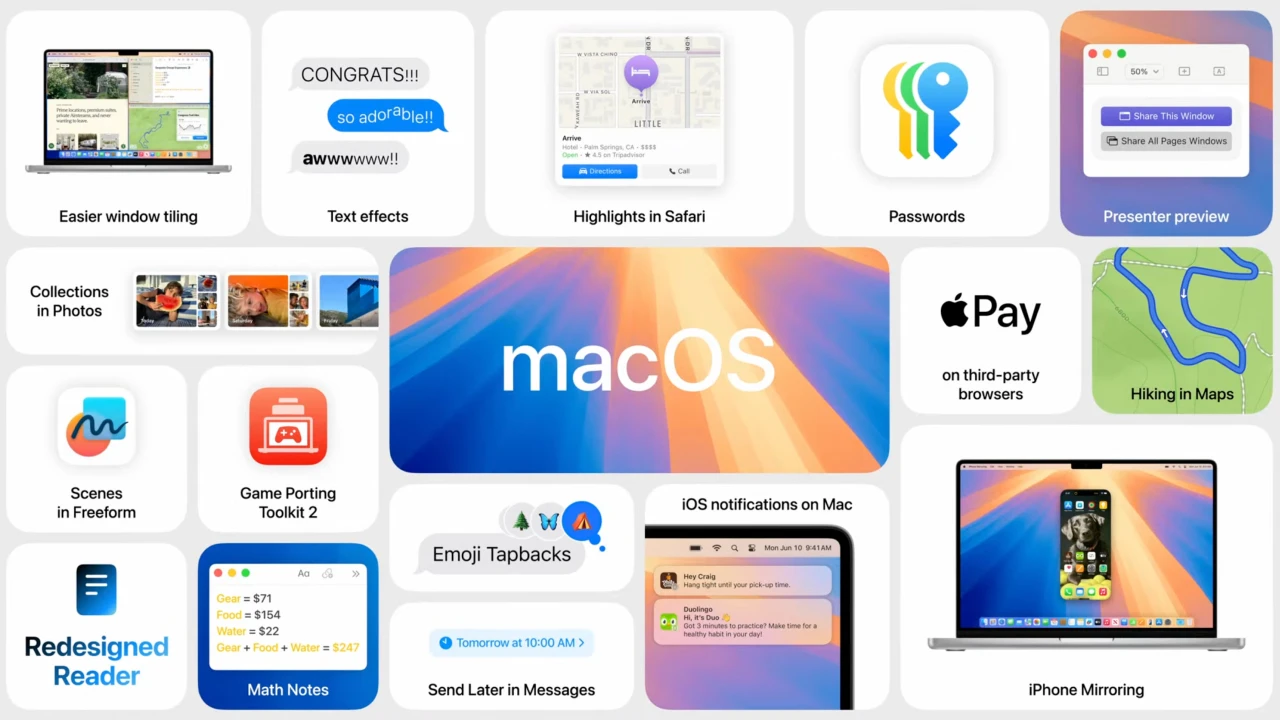
Apple’s primary desktop operating system is macOS Sequoia (version 15). It offers cutting-edge features, including system-wide Apple Intelligence (on M-series CPUs), iPhone Mirroring, and simple window tiling. A new operating system for Mac computers called macOS Sequoia was unveiled at WWDC 2024.
Important characteristics of macOS Sequoia:
- Assistance from Apple Intelligence.
- This collection of artificial intelligence capabilities offers automatic email responses as well as a tool for summarizing information in emails and other apps.
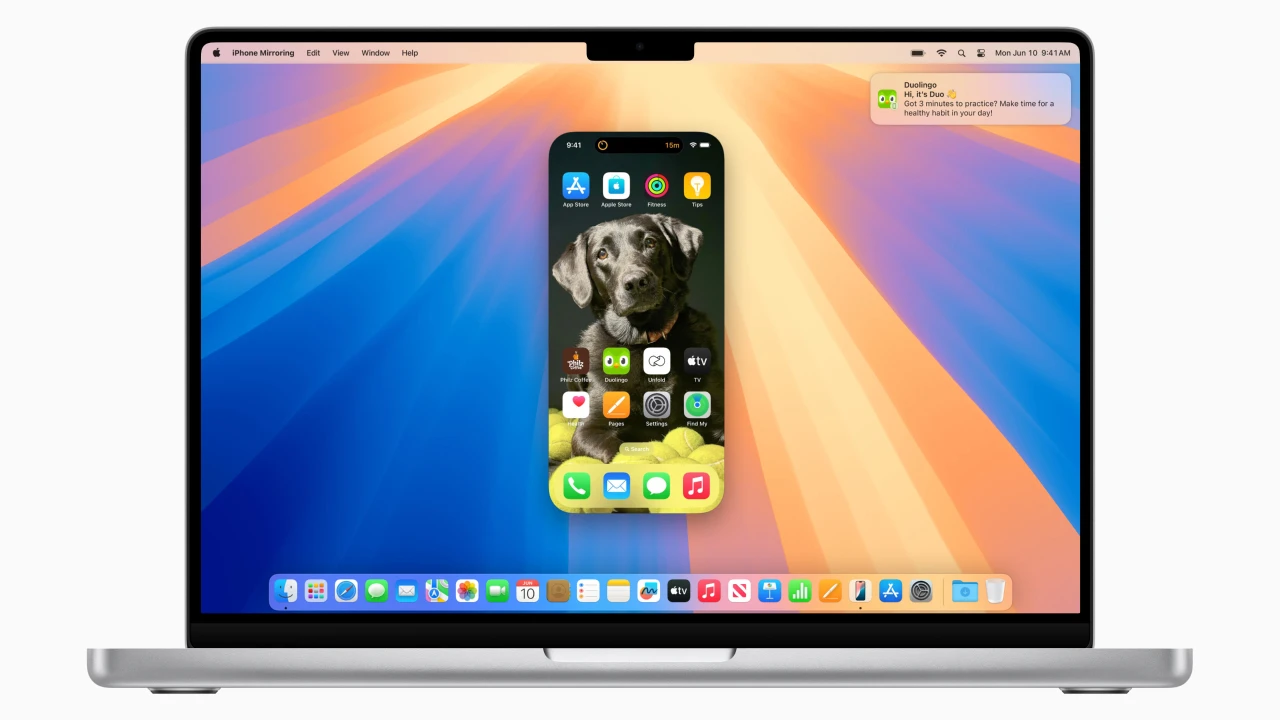
- Your Mac and iPhone can be mirrored.
- This enables you to read and react to notifications, drag and drop content between devices, and access your smartphone from your computer.
- To conserve battery life, your iPhone will stay locked and even go to sleep.
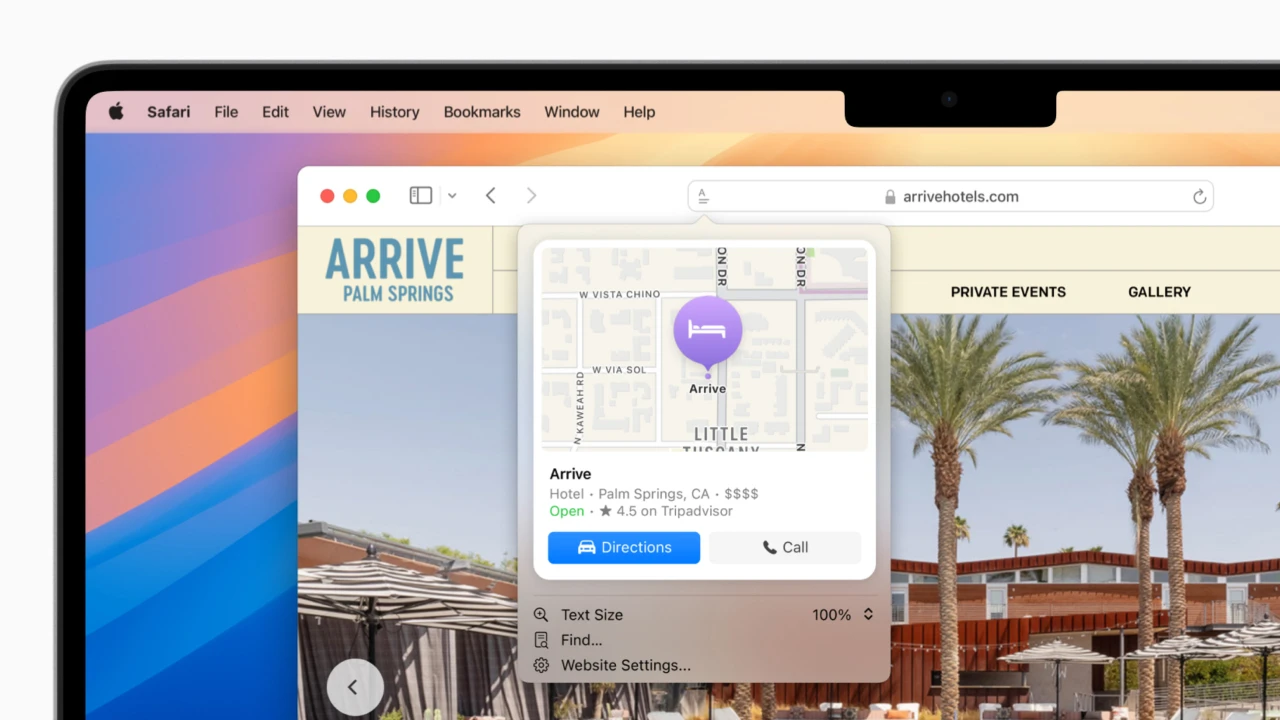
- The machine learning-powered Highlights feature in the upgraded Safari browser highlights important content on webpages.
- Additionally, summaries, tables of contents, and enhanced video viewing have been added to the reading mode.
- The Passwords application.
- It was renamed from Keychain and is capable of storing a wide range of sensitive data, including shared passwords for services, Wi-Fi passwords, access credentials, and verification codes.
- Desktop program windows divide automatically.
- Third-party utilities that were previously utilized for this purpose will no longer be necessary as a result.
More Key Features
- iPhone Mirroring:
You can fully access and manage your iPhone from your Mac, even if it’s locked.
Advanced AI capabilities like deep ChatGPT integration, Image Playground, and system-wide writing tools are all part of Apple Intelligence.
- Advanced Window Tiling:
Just drag programs to the boundaries of the screen to automatically snap and arrange them into tidy tiled layouts.
- Passwords App:
A special vault that replaces Keychain for all of your Wi-Fi passwords, passkeys, and login information.
Updates for Safari include an improved Reader view that automatically generates summaries and tables of contents, as well as Distraction Control.
- Improvements to Video Calls:
Advanced background replacement tools and integrated presenter previews





Leave a Comment