
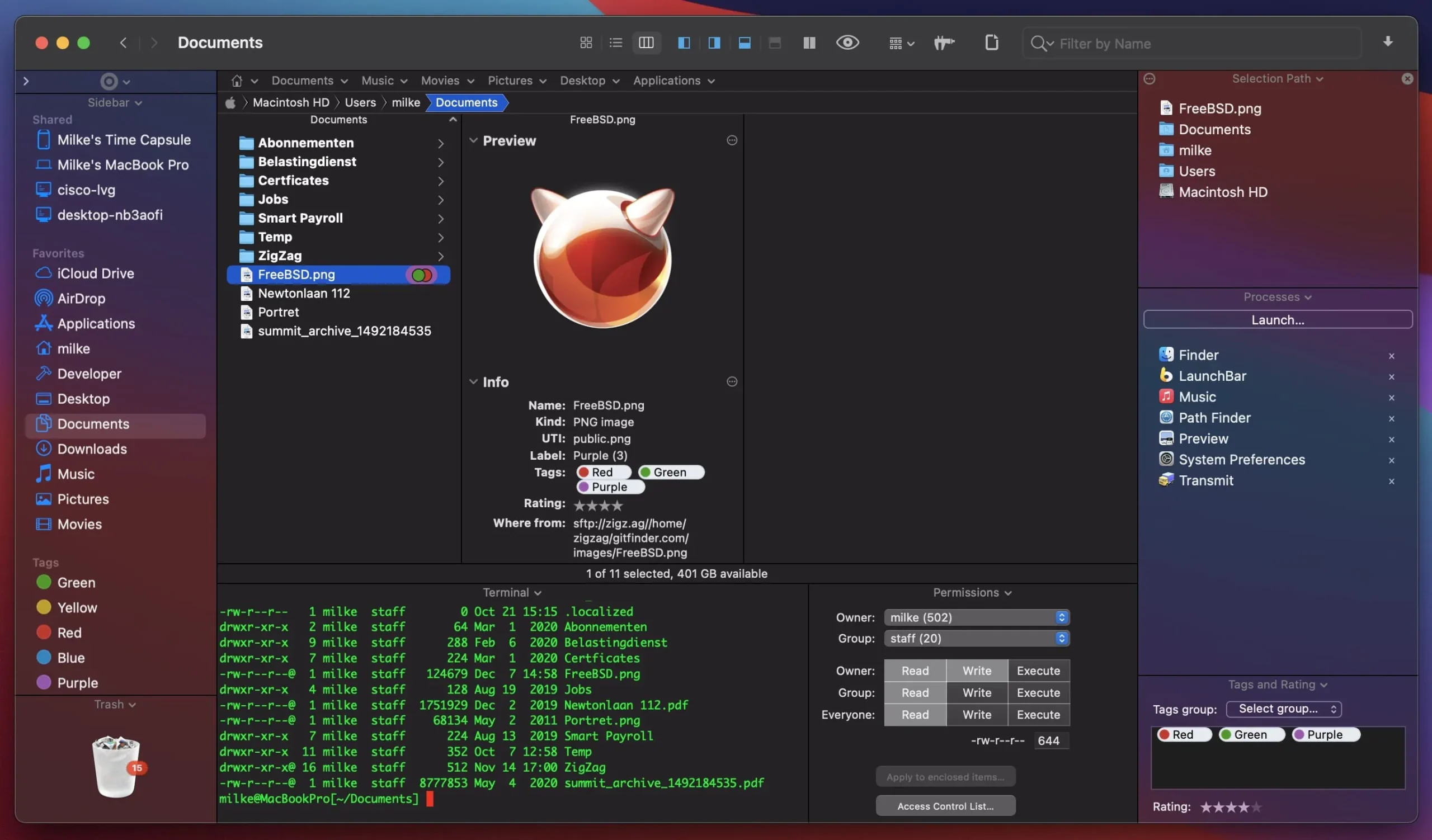
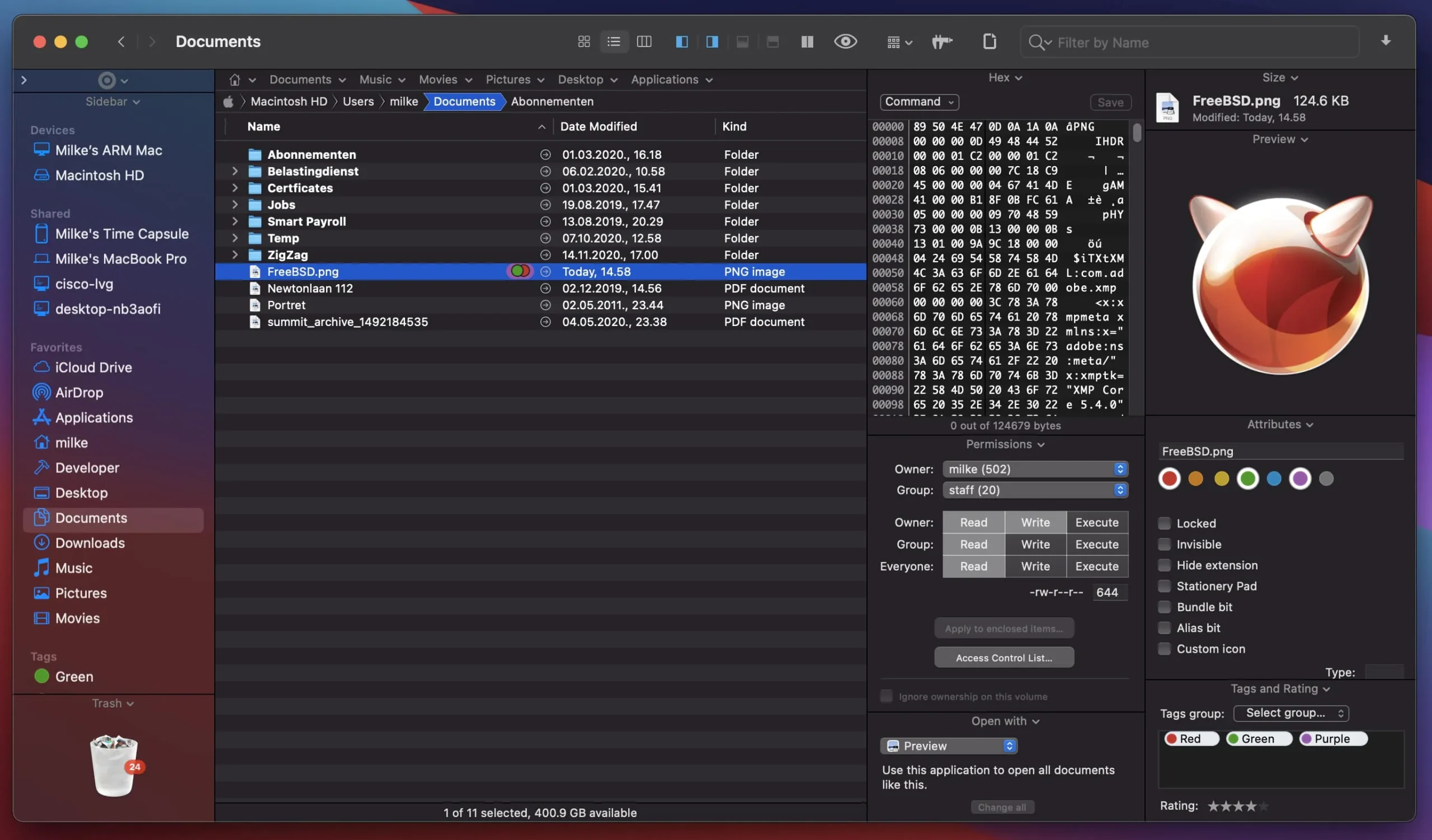
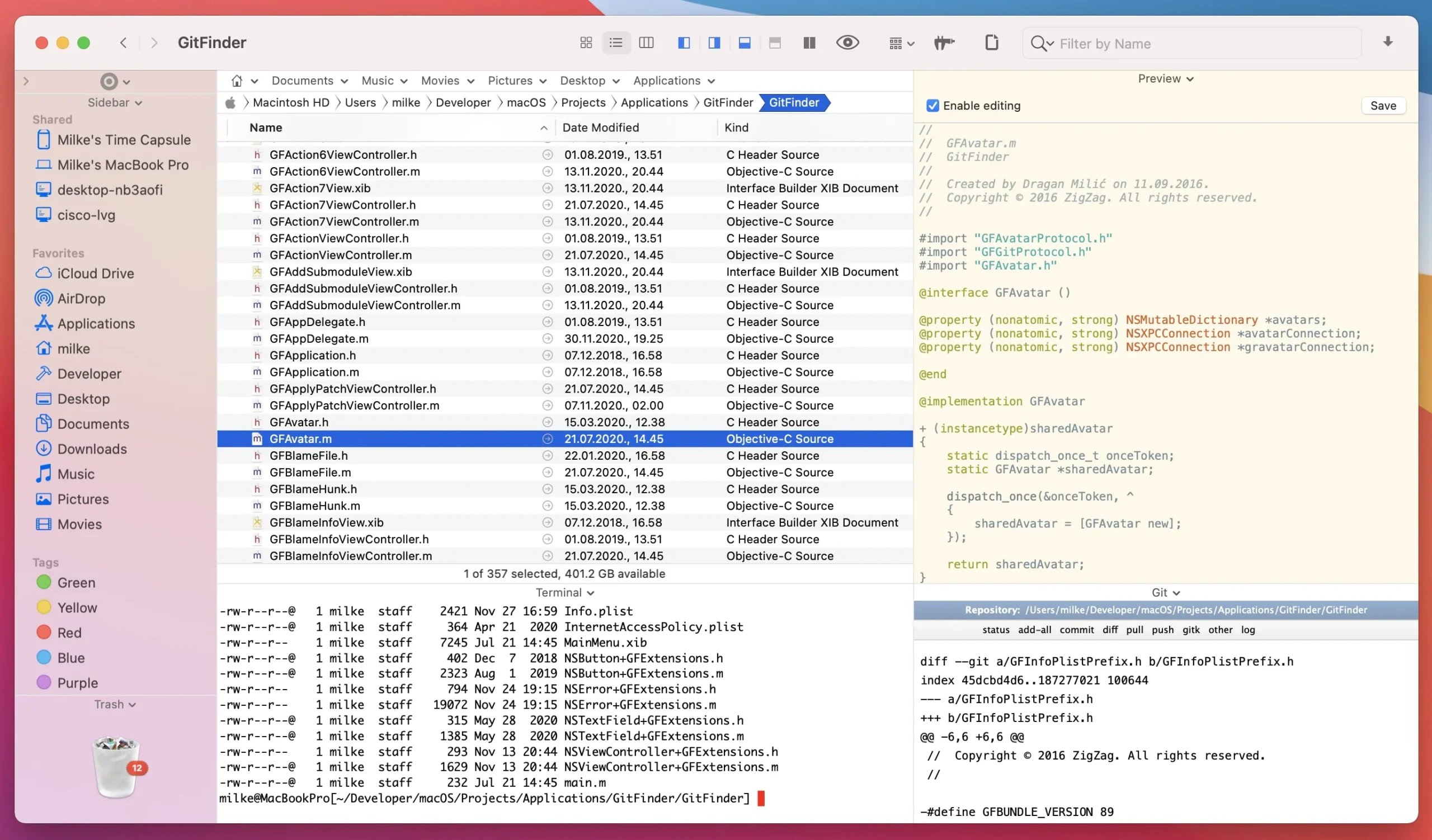
One of the best file managers is Path Finder, which has a well-designed interface that includes tabs, the ability to preview documents or audio/video files, process management, archive management, application installation and removal, system hotkey changes, CD/DVD/Blu-ray disc image conversion, dual-panel functionality, and much more.

With features like full keyboard navigation, a built-in FTP client, tabbed browsing, customized folder displays, easy search, and flexible file selection, PathFinder replaces the traditional Finder.

The folders in Path Finder’s UI are identical to those in Finder, but it has extra buttons and tabs that resemble those in Safari. Although you can utilize extra navigation elements like tabs and links, the navigation is the same as Finder’s.

Main Features:

  • Our file manager is not an exception to the rule that tabs are the best graphical component in applications.
  • The tabs in Path Finder are very user-friendly.
  • You may effortlessly drag and drop files between tabs in addition to always being able to see which folders are open and quickly switch between them.
  • Tab settings, which are effectively distinct, customized workplaces, are another fantastic feature.
  • For instance, if you’re working on a project and need to quickly access all pertinent folders, programs, and downloads, this is quite handy.
  • The folders you most recently opened are likewise stored in tab sets.

The Drop Stack

It is a place where files can be temporarily stored while being transported. Moving files to new folders is much easier as a result.

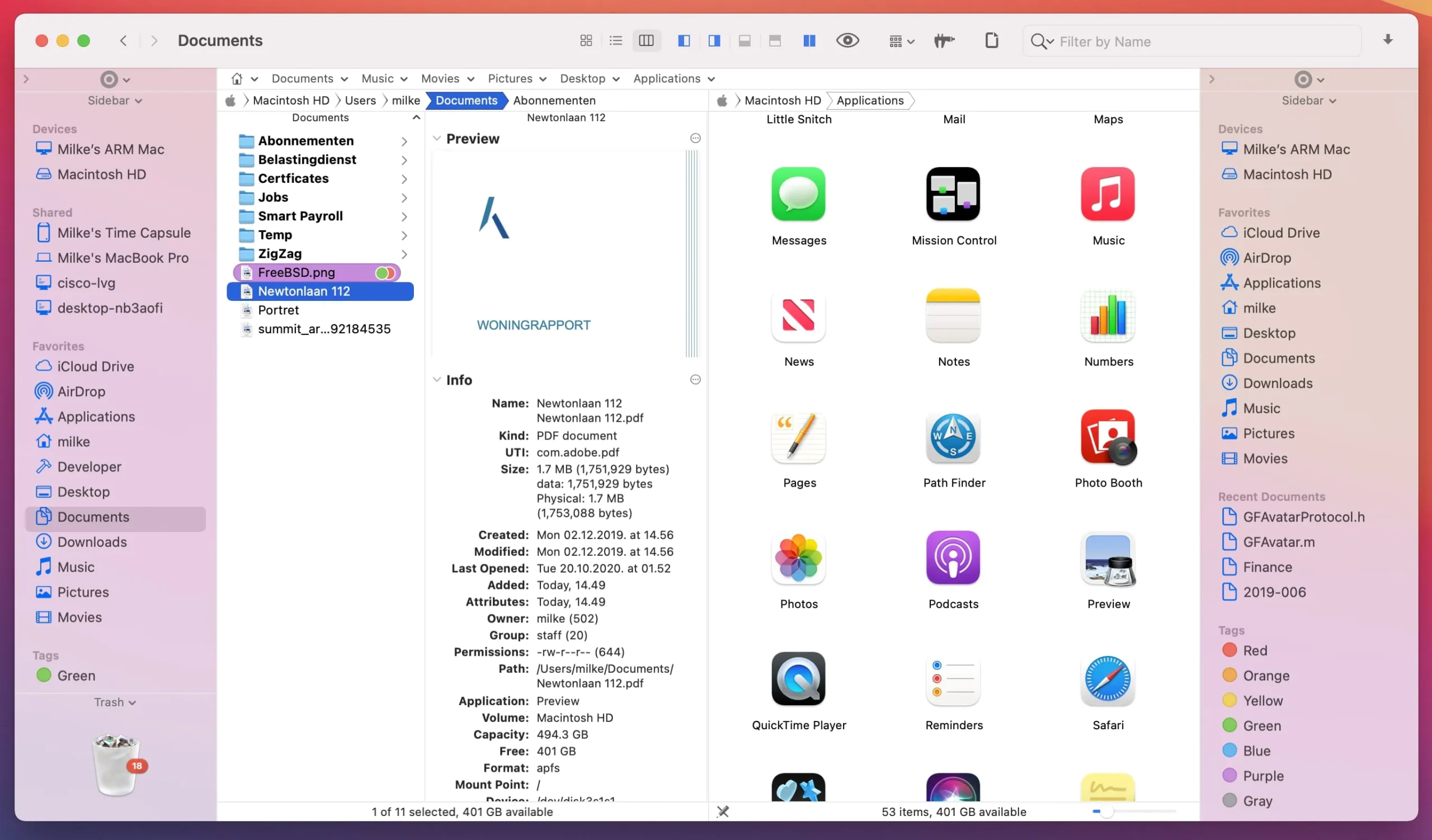
You may view two folders at once with Path Finder’s “two-pane explorer” view, which divides the window in half. When transferring files across folders or comparing folder contents, this is incredibly helpful. Every pane functions as an independent file browser. Clicking the icon in the lower left corner will bring up this view.

Dual-pane view of Path Finder

You may show more information in the browser by using view switches and sections. When the view switcher icon is selected, the bottom of the screen is split, displaying customizable details about the chosen files. While file information is displayed on the left, right, or bottom of the browser, sections serve the same purpose.

Modules for Path Finder

You can use Pathfinder’s search box in the upper right corner to filter files by type, extension, or keywords. Click the search icon in the upper right toolbar, type your search phrase, and then click “+” to add search parameters if you wish to choose files based on certain criteria.

Utilities

You don’t need to start additional programs because Pathfinder provides extra tools for specific jobs. Among Pathfinder’s features are a file archiver, an application launcher, a text editor, and a basic image editor.


Details

Version 26.1.1
Developer COCOATECH
Activation (RG) K'ed by TNT team
Compatibility macOS 13 and later
Size 26 MB
Architecture ARM , x86 (64-bit)
Interface Language English , German , Spanish , Italian , Traditional Chinese , Simplified Chinese , Korean , French , Japanese

FAQ

Mount the image and run Open Gatekeeper friendly. Press Enter to bypass Gatekeeper in the terminal window. Drag the application to the Applications folder. The application is ready for use.
There are so many errors; we can't list them all here. Therefore, we've described all the solutions.
Official updates may result in loss of activation unless otherwise stated in the installation instructions. To update the software from this website, you must download the new version of the software from here (if available) and install it over the version currently installed on your computer.
To download large files, it is recommended to use any download manager, for example, FDM (Free Download Manager) For downloading from a file sharing service like Filen.io, it's not recommended to use Safari. Use Google Chrome or the aforementioned FDM browser, for example. To download files via torrent (.torrent file), you need a torrent client, such as Transmission or the aforementioned FDM. Please remember that providers may block access to some websites (1fichier.com, etc.). To bypass these blocks, it is recommended to use a VPN.
The site administration doesn't hack anything. That's the job of release teams and some enthusiasts. They're the ones responsible for ensuring updates are available. But you can hack software yourself by learning reverse engineering.
Definitely not in the comments. The site administration doesn't hack anything, and there's no order desk. However, you can order the software you need (not for free) in a special thread on forum.ru-board.com.
Open System Preferences -> General > Language & Region > Applications— “+”. Select an app and language. This method works for most apps. The language in Adobe products is usually selected during the installation of the product itself. The language in games is usually changed in the game settings itself. There are exceptions. Don't hesitate to search for information online.
There are many options. The easiest is to use specialized app removal utilities, such as App Cleaner & Uninstaller. To remove Adobe products, use the Creative Cloud Cleaner Tool.
The site offers a paid service: remote assistance (via AnyDesk, Zoom, or Skype) with the installation of any applications (not just those from this site) on any Mac or PC.

Leave a Comment

Version 26.1.1
Developer COCOATECH
Interface language English , German , Spanish , Italian , Traditional Chinese , Simplified Chinese , Korean , French , Japanese
Activation (RG) K'ed by TNT team
Compatibility macOS 13 and later
Architecture ARM , x86 (64-bit)
Size 26 MB
No threats found. Read more…
Published (edited): May 18, 2026 Views: 58


